


Sora 2 product demo workflow: pivot to vertical product hooks with GoCrazyAI
Sora 2 access is changing. Learn fast vertical-first product-demo workflows and how to replicate Sora‑2‑style TikTok hooks with GoCrazyAI's AI Video Generator.
You relied on Sora 2 prompts and now the access changes are forcing you to rework production. This article explains what changed, the shutdown timeline you need to plan for, and practical replacements so you can keep shipping vertical product-demo hooks (TikTok/Reels/Shorts) from a single product photo. I'll show step-by-step GoCrazyAI workflows that reproduce Sora‑2-style motion, audio, and framing using Kling 2.5 Turbo and Veo 3.1 models, plus prompt templates and distribution checks so you can publish within an hour.
Quick Answer
Sora 2 product demo workflow is now a short-form, vertical-first process: pick a single product photo, animate it with an image-to-video model (Kling 2.5 or Veo 3.1 on GoCrazyAI), add punchy text/audio for the first 1–2 seconds, and export 9:16 HD. Use the GoCrazyAI AI Video Generator to run image-to-video, add music, and finalize captions in one pipeline.
What changed with Sora 2 this month — timeline, impact, and what creators need to know?
OpenAI marked the Sora product pages as "no longer available" on April 26, 2026, and public reporting now shows the Sora video models and Videos API deprecated with a shutdown scheduled for September 24, 2026. That means creators who relied on Sora 2 for text-to-video and image-to-video must plan migrations and archive active assets before the shutdown date.
Impact and practical steps: right now, prioritize exporting any in-progress clips and saving prompt recipes. Community threads in July 2026 show creators scrambling for alternatives and sharing re-usable prompt patterns. For product marketers that means moving immediately to models that produce similar motion, audio, and style — Kling 2.5 Turbo and Google Veo 3.1 are widely cited as realistic substitutes in recent benchmarks.
Date stamps matter: schedule a migration plan around the September 24, 2026 deprecation date, and export any assets still tied to Sora 2 before then. If you publish regularly, build replacement templates now so your creative calendar doesn't skip beats.
Why vertical product-demo hooks demand a Sora‑2-level model (and where Kling 2.5 / Veo 3.1 fit in)?
Vertical product-demo hooks need high-quality motion, coherent audio, and fast visual punch; Sora 2 was valued because it combined those elements into single-shot outputs that worked for social platforms. For creators, the key capabilities are realistic micro-motions (texture, reflections, spinner loops), synced short-form audio stings, and reliable 9:16 framing. Those are exactly the parts that make a product photo feel alive in the first 1–2 seconds — the retention window most platforms reward.
Where Kling 2.5 and Veo 3.1 fit: industry leaderboards and benchmarks from 2025–2026 put Sora 2 at the top but also show Kling 2.5 Turbo and Google Veo 3.1 scoring highly for visual fidelity and motion coherence. In practical terms, Kling 2.5 often produces crisper texture and loopable motion for product surfaces, while Veo 3.1 yields consistent camera-style parallax and stable edge handling — both traits useful when you need Sora‑2-like outputs without Sora itself. For most TikTok hooks, these models are realistic substitutes when paired with vertical framing and short, punchy audio.
Quick win: Turn a single product photo into a 9:16 TikTok hook using GoCrazyAI AI Video Generator (step-by-step)?
You can convert one product photo into a 9:16 hook in under an hour by using an image-to-video route on the GoCrazyAI AI Video Generator. Start by uploading a high-res product image (1080+ px tall), pick Kling 2.5 Turbo or Veo 3.1, set output to 1080x1920, add a short motion prompt for texture or parallax, and attach a punchy 3–6 second audio sting. Export an MP4 and add captions — that’s your hook.
Step-by-step expansion: choose a vertical crop that keeps product center-frame, request small camera parallax and subtle material shimmer, and use an attention-grabbing first-line text overlay (30–40% of the first second). GoCrazyAI lets you route credits to Kling, Veo, or Sora models from one pool and outputs 9:16 directly, which simplifies testing multiple models quickly. The in-app render preview helps you iterate on motion speed and loop points until the first 1–2 seconds feel tight.
Prompt examples you can copy:
"Animate product photo: subtle camera parallax up 6 degrees, soft highlight shimmer on metal, 3s loop, warm studio light, crisp texture, vertical crop 9:16"
"Motion focus: texture close-up > slow reveal to full product; add micro-dust motes and reflective spec highlights; 1080x1920"
These prompts follow community patterns adapted from Sora 2 recipes and work well when paired with Kling 2.5 or Veo 3.1 for image-to-video tasks. For background scoring, drop a 3–6s percussive hit or riser — the generator can accept text-music cues or you can add a track from the AI music generator while editing.
Try the GoCrazyAI AI Video Generator: open the AI Video Generator to upload a photo, pick a model, and export a vertical hook in minutes.
How do you create a 15–30s story-mode opener with text prompts, multi-shot pacing, and animated B-roll?
A 15–30s story-mode opener uses three to five short shots: an attention hook (1–2s), a product reveal (3–6s), a feature close-up (3–6s), and a lifestyle or CTA shot (3–6s). Use text prompts to define shot purpose and timing, and animate B-roll from the same product photo to maintain brand consistency. Keep overall pacing tight and make the first 2 seconds the loudest — that’s where most viewers decide to continue watching.
Practical recipe and shot list:
1) Hook (0–2s): bold text + micro-motion on product edge. Prompt: "extreme close-up, metallic edge shimmer, 0.7s zoom-out, high contrast".
2) Reveal (2–8s): vertical parallax showing full product. Prompt: "slow parallax reveal, soft studio key, 3s".
3) Feature close-up (8–14s): texture or interface detail with animated labels. Prompt: "macro texture loop, crisp focus, overlay text: 'Fast charge 5m'".
4) Lifestyle/CTA (14–20s): product in use or a soft environment loop; end with CTA card. Prompt: "lifestyle blur background, hands interacting, 3s".
For animated B-roll, render short 2–4s loops of texture, then pace them as cutaways. You can render each shot separately (preferred) and stitch in the editor. GoCrazyAI outputs multiple framings from the same prompt so you can keep color, lighting, and motion consistent across shots. When assembling, use cross-dissolve under 0.3s for fast mobile reads and match audio hits to shot trims for perceived polish.
What prompt templates and quality checks produce Sora‑2-style audio, motion, and branding consistent on mobile?
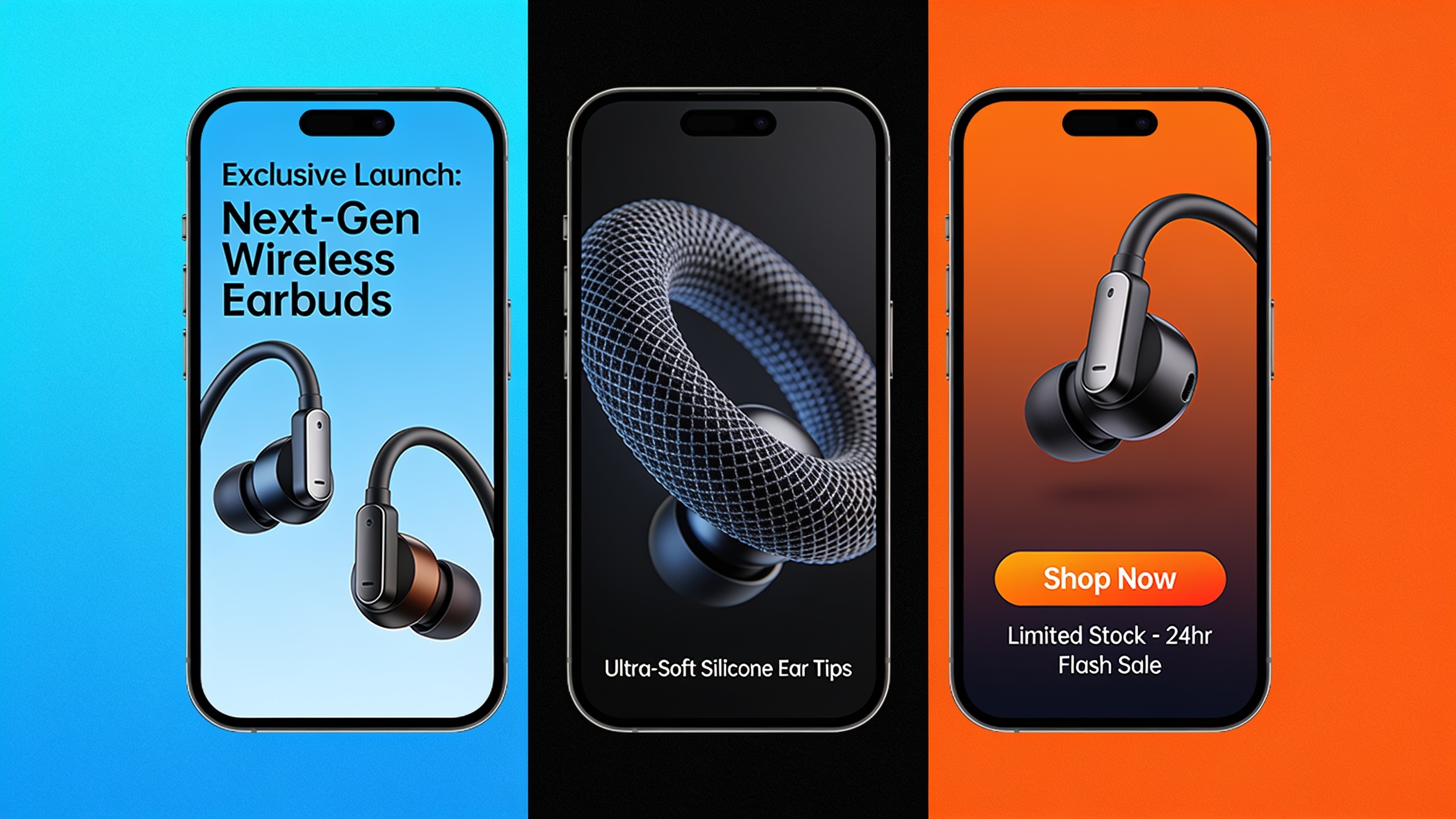
Use prompt templates that separate motion, audio cue, and visual treatment. A reliable template has three parts: shot intent, motion parameters, and audio/branding notes. Then run a quick quality checklist: first-2s hook, 9:16 crop safety, bitrate and color, and loopable in 3–6s segments.
Template (copy-and-paste):
"[Shot intent]: vertical close-up of product face. [Motion]: 3s parallax up 6deg, subtle specular shimmer, loopable. [Audio]: percussive hit at 0.2s, soft riser at 2.5s. [Brand]: warm 5600K key, logo lower-right 8% size, safe margin 10%".
Quality checks to run on every render:
- First-2s hook test: mute the clip and watch only visuals for 2s — does something happen? If not, add micro-motion or a text punch.
- Frame-safe check: ensure key elements sit inside 10% margins for captions and overlays.
- Audio sync: confirm audio transient aligns with cuts and loop points.
- Export specs: 1080x1920, H.264 or H.265, 8–12 Mbps for mobile ads.
If you need bespoke audio, use an AI music generator to create short stings or drops and then import into your edit; GoCrazyAI's AI music generator can produce short tracks that match tempo and mood. For final polish, check color and contrast on a phone screen — what looks good on desktop often reads too dark on mobile.
How should you export, caption, A/B test, and link GoCrazyAI outputs to landing‑page demo loops?
Export as vertical 1080x1920 MP4, include burned captions for the first pass, and generate two variants for A/B testing: one with text-heavy hooks and one with audio-first hooks. Link the best-performing 6–10s loop to a landing-page hero or product demo loop for consistent messaging.
Distribution checklist:
- Export settings: 1080x1920, H.264, 30fps, 8–12 Mbps. Produce one 6s loop and one extended 15–30s version.
- Captions: create a burned caption layer for the first test; generate SRT for platform-native captions later.
- Variants: change headline copy and audio cue for two test cells. Keep visuals identical where possible.
- Landing page loop: export a smooth 6–10s loop for product pages; ensure file size is optimized for web delivery and set autoplay without sound, then add an on-hover or click interaction to enable sound.
You can finish edits and assemble voice/music inside GoCrazyAI with the AI video editor to add voiceovers, music, and subtitles in one pipeline. After publishing, monitor watch-through and click-through rates for each variant and move the winning creative into ad rotations or page hero slots.
Frequently Asked Questions
Is Sora 2 fully shut down now?
OpenAI marked Sora as no longer available on April 26, 2026 and public guides list a deprecation and shutdown window ending September 24, 2026 — creators should save existing assets and move workflows before that date.
Can Kling 2.5 or Veo 3.1 reproduce Sora‑2-style outputs?
Yes. Benchmarks from 2025–2026 show Kling 2.5 Turbo and Google Veo 3.1 score highly for visual fidelity and motion coherence and are practical substitutes when paired with vertical framing and focused prompt patterns.
How quickly can I convert a product photo into a TikTok hook?
With a prepared photo and templates, you can render a 9:16 hook in under an hour: upload, select model, apply a motion prompt, add audio, and export. Iteration times depend on render queue and model choice.
Conclusion
Sora 2’s availability changes mean you must archive assets and rebuild templates now. For vertical product demos, Kling 2.5 and Veo 3.1 are practical substitutes and GoCrazyAI’s AI Video Generator lets you test both models quickly while outputting 9:16 clips ready for TikTok and Reels. Open the AI Video Generator, drop in a product photo, and ship a vertical hook in your next break.
Sources
- Sora 2 is here | OpenAIopenai.com ↗
- Sora 2 System Card (PDF) | OpenAI — September 30, 2025cdn.openai.com ↗
- Sora 2 Access Guide: Current Product and API Boundary - Flowithflowith.io ↗
- Product Update: Sora 2 AI Video Generator Now Live - Piktochartpiktochart.com ↗
- How to use Sora 2: complete 2026 guide | ToolChase (updated July 2026)toolchase.com ↗
- Sora 2 prompt patterns for product videos: 8 recipes that ship | Adpictoadpicto.com ↗
- Community reaction: 'Bring back Sora 2 please' (Reddit, July 12, 2026)reddit.com ↗
- Sora 2 shutdown discussion (Reddit, July 7, 2026)reddit.com ↗
- LMArena / Benchmark notes & industry leaderboard references (Nov 2025 / 2026 materials)am.jpmorgan.com ↗
- Sora 2 reporting and SACRA disclosure (internal/industry doc, cloudfront, published last week)d17th0s7i8wl11.cloudfront.net ↗