



CrazyFX promo: How to turn one photo into high-converting lip-sync and dance product clips
Create viral-format product clips from one photo using GoCrazyAI CrazyFX. Step-by-step workflows for lip-sync promos, dance trends, disclosure, and optimization.
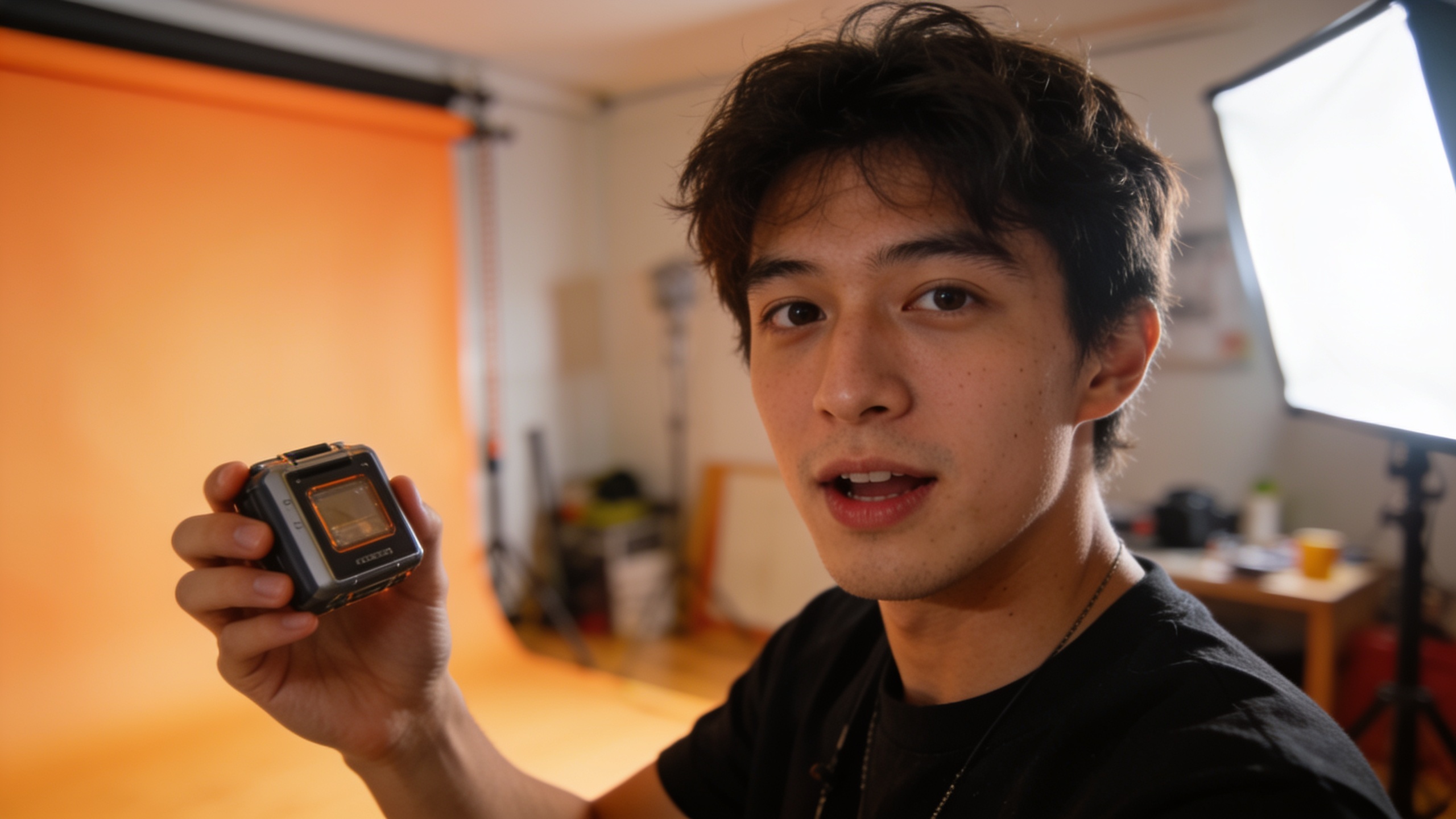
<!-- KEYTAKEAWAYS -->- CrazyFX turns one photo into a vertical promo video with a single preset.- Start with a strong 0–3s hook, clear product shot, and on-screen disclosure.- A/B test watch time, CTR, and on-page conversion rate before scaling.- Avoid uncanny lip-sync by human review and micro‑tests.<!-- /KEYTAKEAWAYS --> You need a stack of short product videos and you only have one photo and an afternoon. This guide shows concrete, repeatable workflows to turn a single product image or selfie into ready-to-publish 9:16 lip-sync, dance, and news‑anchor clips that tend to perform well on TikTok and Reels. I’ll give step-by-step settings, example prompts you can copy, and practical quality checks so you avoid the common "uncanny" traps. We'll also walk compliance: how to disclose synthetic media without killing reach, and which KPIs to A/B test first.
This article uses GoCrazyAI CrazyFX as the one-click effects engine for the workflows — because CrazyFX transforms one photo into a vertical clip with tuned presets (lipsync, dance, anchor) in seconds — but the tactics and measurement advice apply no matter which tool you pick. Read the quick workflows, pick one, and start generating a test ad you can iterate on in under an hour.
Quick Answer
How do you run a CrazyFX promo from one photo? Use CrazyFX to apply a tuned lipsync or dance preset to your product or selfie, export a 9:16 vertical clip, add a short caption and disclosure, then A/B test creative hooks and CTA timing. Expect to iterate—run micro-tests on watch time and CTR before scaling.
Why short-form lip‑sync & effect-driven clips convert: data marketers need to know?
Short answer: short, effect-forward clips usually drive attention and higher conversions because platform reach favors repeatable, music‑driven formats and product videos improve buyer confidence. Marketers should care because these formats are widely used and often more efficient at driving quick engagement than static posts.
HubSpot's 2024 Video Marketing Report found that 46% of social media marketers say generative AI is used most for short-form video, and 55% find it most helpful for short clips[[1]](#source-1). Separate research summarized by WebMedic shows product videos can lift ecommerce conversions substantially—often reported as a 40–80% boost for listed product video implementations[[2]](#source-2). Put together, the data suggests two practical rules: (1) produce many short, variant clips rather than a few long edits, and (2) include a product shot or demo early to help conversion.
Consequence for your workflow: prioritize the hook (0–3 seconds), vertical framing (9:16), and multiple tuned variants (lipsync, dance, news-anchor). These are the exact use cases CrazyFX targets—one photo in, multiple viral-format outputs out—so you can cheaply test which style lifts click-through and conversion for a given product or creative direction.
How AI lip‑sync and one‑click effects (like CrazyFX) actually work — tech and quality tradeoffs?
Short answer: AI lip‑sync systems map audio to facial motion using learned audio-to-visual models; one-click presets wrap that core model with motion retargeting and stylized animation. The tradeoffs are usually realism versus stability and speed—faster presets are less flexible but easier to scale.
Technical note: modern systems use audio-driven facial animation modules trained on large datasets to predict mouth shapes and head micro‑motion given audio input. Surveys and recent papers show rapid progress, but also note remaining gaps in temporal stability and phoneme accuracy—developers tune for sync fidelity or for stylistic, stable motion depending on the preset[[5]](#source-5)[[4]](#source-4). That means an effect focused on dance may sacrifice perfect phoneme accuracy to keep eyes and head stable.
Quality tradeoffs to expect:
- Sync fidelity vs. realism: some presets nail mouth movement but produce slightly mechanical expressions; others look smoother but sometimes misalign a syllable.
- Pose/static images: when you start from a single photo, the engine infers out-of-frame details. This generally keeps the subject "on-model" but rarely changes camera angle radically.
- Watch-time risk: industry reports note some lip‑sync outputs can trigger "uncanny" reactions that reduce completion rates, so always run micro-tests and human review before wide distribution[[6]](#source-6).
Practical rule: choose tuned presets for speed (CrazyFX presets) and reserve manual recording for high-budget hero ads. Use cheap micro‑tests to validate completion rate and CTR before scaling.
Workflow A — From product photo to 30s lip‑sync promo using GoCrazyAI CrazyFX (step‑by‑step)?
Short answer: upload a clear product photo, pick the CrazyFX lipsync preset, paste a short script or choose a licensed audio clip, export vertical 9:16 at 30s, then add captions and disclosure. The rest of the process is polishing and micro‑testing.
Step-by-step (detailed): 1) Source the asset: choose a product photo with subject centered, plain background, and good lighting. If needed, run the photo through GoCrazyAI Image Relight or the Image Upscaler to improve clarity (/relight-image, /image-upscaler). 2) Upload to CrazyFX: select the lipsync preset. Effects are tuned presets so no prompt engineering is needed; CrazyFX applies animation parameters automatically. 3) Audio selection: pick a 20–30s hook—either a licensed music excerpt or a short script recorded with an AI voice. Use GoCrazyAI AI Voices or the AI music generator for quick tracks (/ai-voice, /ai-music). Keep vocal lines punchy: "30% off today—link in bio" or a 5–7 word product benefit. 4) Script & timing: place the script to land strongly in the first 3 seconds. For product clips, show the product prominently in the first 1–2s (crop to 9:16 if necessary). 5) Render and inspect: download the CrazyFX clip in 9:16. Review lipsync alignment, eye stability, and any odd artifacts. 6) Post‑process: import into the AI video editor to add captions, on‑screen disclosure, and end screen CTA (/ai-video-edit). 7) Micro‑test: run 2–4 variants (different hooks, CTA positions, or music) as a small paid test or organic A/B. Track watch time and CTR, then iterate.
Why this works: CrazyFX presets are tuned for speed—one photo to finished vertical clip—so you can produce multiple creative variants for testing quickly. If your photo needs improvement, link to the AI image tools above for quick fixes.
You can try every step above directly in GoCrazyAI CrazyFX — no setup needed.
Workflow B — Example: Making a dance trend clip from a selfie with CrazyFX?
Short answer: pick a high-contrast selfie, use the CrazyFX dance preset, choose a trending 10–15s audio slice, export a 9:16 clip, then refine with captions and on-screen product overlays. This is ideal for trend participation or influencer-style product drops.
Concrete recipe you can copy: 1) Selfie prep: choose a selfie with the face centered and good lighting. If background is busy, use the AI image generator or relighting to simplify (/ai-image-generator, /relight-image). 2) CrazyFX dance preset: upload and select "dance". No prompts needed—pick intensity level (low/medium/high) if available. 3) Music choice: pick a 10–15s trending chorus. If you need original music, generate a short beat with the AI music generator and match tempo (/ai-music). 4) Hook + overlay: add a 0–3s visual hook—text overlay like "Wait for it…"—and a product overlay at 3–5s.
Example prompts and captions (copyable): "Caption: Watch till 5s — limited stock!" "On-screen text: New! Silicone phone grip — 20% off today"
Expected output: a 9:16 clip where your selfie performs choreographed motion synced to the beat, with stable facial framing and a clear product callout mid-clip. Export and test two variants: product-on-frame vs. product-off-frame, and track completion rate and clicks to product page.
Ethics, disclosure, and FTC best practices for synthetic/video AI in ads — pitfalls to avoid?
Short answer: always disclose synthetic elements prominently (first 3 seconds on-screen and in captions), avoid misleading claims, and document your creative process. The FTC recommends clear and conspicuous disclosures when AI influences ad content; place visual disclosure early and in captions to reduce regulatory risk.
Common pitfalls and how to avoid them:
- Pitfall: burying disclosure in the end card. Fix: place an on-screen label in the first three seconds and repeat in the caption per FTC guidance[[8]](#source-8).
- Pitfall: implying a real person endorsement when none exists. Fix: use neutral language like "Generated video" or "AI-enhanced" and avoid mimicking a real influencer without permission.
- Pitfall: using celebrity voices or likenesses without clearance. Fix: use original or licensed voices and get written rights for recognizable content.
Practical disclosure examples you can use on ad creative:
- On-screen badge (0–3s): "AI-generated clip" or "Synthetic media"
- Caption line: "This clip uses AI effects — see details"
Keep documentation: save the script, audio license, and logs showing the CrazyFX preset used—this helps if a platform or regulator requests verification. Clear disclosure also protects your brand from trust erosion: users often respond better when they understand creative intent.
Measuring success: KPIs, A/B tests, and optimizing CrazyFX clips for conversions?
Short answer: prioritize watch time, click-through rate (CTR), and landing-page conversion rate. Run micro A/B tests on hook timing, music choice, and CTA placement; scale winners and re-iterate quickly.
Which KPIs matter and why:
- Watch time / completion rate: indicates creative stickiness; lip-sync or dance clips should hold viewers through the CTA to be effective.
- CTR: measures how well the clip drives traffic; combine with a strong early product shot to improve CTR.
- On-page conversion rate: the ultimate business metric—measure how these clips perform on product pages or checkout funnels.
Suggested A/B test matrix (small experiment):
- Variant A: Product visible 0–2s, lipsync audio, CTA at 25s
- Variant B: Product visible 3–5s, dance audio, CTA at 20s
- Variant C: Same creative + different caption hook
Scale rules: move forward with variants that beat baseline CTR by 10–20% and maintain or increase conversion rate. Remember platform dynamics: studies show Reels reach rates and watch-time trends vary—platform choice and early hook timing are critical[[3]](#source-3). If a CrazyFX variant shows strong watch time but weak CTR, iterate copy and CTA placement rather than swapping the entire effect.
Polish: use GoCrazyAI's AI Video Editor to add subtitles, timing marks, and consistent branding before pushing to paid tests (/ai-video-edit).
Frequently Asked Questions
Can I use CrazyFX clips in paid ads?
Yes, you can use CrazyFX clips in paid ads, but include a clear disclosure if synthetic elements affect the message. Keep records of audio licenses and effect presets in case platforms request verification.
How long should a CrazyFX promo clip be for TikTok/Reels?
Keep promo clips 15–30 seconds for best testing. Shorter clips (10–15s) often perform well for pure trend participation; 25–30s gives more room for a product demo and CTA.
Do I need special audio for lip-sync presets?
No—CrazyFX accepts both music and spoken scripts. For higher fidelity, use clean, well-recorded audio or generate a short vocal with GoCrazyAI AI Voices. Avoid low-SNR files which can degrade sync quality.
Conclusion
Final thoughts: CrazyFX promo workflows let you turn a single photo into multiple short-form clips quickly, which is ideal for early-stage testing and trend experiments. Start with a strong 0–3s hook, disclose synthetic elements visibly, and run small A/B tests focused on watch time and conversion. If you want to ship a viral-format clip from one photo today, browse CrazyFX and test one preset.
Sources
- The HubSpot Blog’s 2024 Video Marketing Reportblog.hubspot.com ↗
- Ecommerce Product Video Types That Sell (WebMedic summary citing Wyzowl)webmedic.com ↗
- The big social video ranking 2024 (Fanpage Karma short‑video study)fanpagekarma.com ↗
- LPIPS-AttnWav2Lip: Generic audio-driven lip synchronization for talking head generation (ScienceDirect)sciencedirect.com ↗
- Audio‑Driven Facial Animation with Deep Learning: A Survey (MDPI)mdpi.com ↗
- AI lip‑sync apps analysis and creator reaction (industry writeup)alibaba.com ↗
- FTC: Advertising and Marketing guidance for businessesftc.gov ↗
- FTC AI disclosure and fashion brand guidance (AI Fashion Law summary)aifashionlaw.com ↗