


AI jingle generator: make copyright‑safe jingles for Reels and short ads
Create 6–15s copyright-safe jingles and short ad music with AI. Workflows, prompt recipes, licensing checklist, and GoCrazyAI AI Song Generator steps.
You need a short, catchy jingle for a Reel, TikTok clip, or 15‑second ad — fast and without copyright headaches. This guide shows practical workflows to create 6–15s branded jingles and background music using AI, how to check rights, and prompt recipes that get repeatable results. It also includes a publishing checklist and A/B test ideas. Where relevant, I show how to do the steps with GoCrazyAI’s AI Song Generator and link to tools for editing and delivery.
Quick Answer
How do you use an AI jingle generator to make short, copyright‑safe music? Use an AI music tool that explicitly offers original-track exports and commercial-use licensing, then write a short prompt describing mood, tempo, and instrumentation, render a 6–15s clip, and test it under Content ID before publishing. Platforms like GoCrazyAI’s AI Song Generator can create instrumentals or hooks ready to drop into your edit.
Why original, copyright‑safe jingles matter for Reels, TikTok and short ads?
Original, copyright‑safe jingles reduce takedown risk, prevent Content ID matches, and let you use music in monetized or client work without unexpected license fees. For shortform platforms, even a 6–15s hook can be the brand identifier; if that hook is flagged by Content ID, your video can be muted, demonetized, or removed. Given huge upload volumes and automated matching systems, creating or licensing your own short music clips usually keeps campaigns safer and cleaner.
Platforms and advertisers usually require documented rights for music in paid promotions; having an export that grants commercial use avoids later disputes. That said, not all AI music tools are the same: some explicitly sell royalty‑free, commercial licenses, while others have ambiguous terms. Always keep proof of the tool’s commercial license and a copy of the generated WAV/MP3 with metadata when you publish.
How do AI song generators work (and what should I check about rights and training data)?
AI song generators create new audio from text prompts or examples by sampling learned patterns from training data. They typically let you control tempo, mood, and instrumentation and output a finished clip or stems. For rights, check whether the platform issues a commercial‑use or royalty‑free license for generated audio and whether it claims the tracks are "original" and not derived from any single copyrighted work.
What to verify before publishing: (1) Licensing language granting commercial use and transferability for client work; (2) Content ID guidance — does the vendor provide tools or guarantees against matches; (3) Any restrictions on redistribution or resale. Also be aware of creator concerns about training data: many musicians worry about models trained on copyrighted work. Finally, some vendors have partnerships or explicit model provenance statements (for example, ElevenLabs and several platforms announced music features with commercial rights).
How can I create a 6–15s branded jingle for Reels fast?
A practical fast workflow is: pick style + write a 1–2 sentence prompt + render 3 variations + select and trim to 6–15s. Rendering several variations gives options for hooks and loop points.
Step‑by‑step:
- Define goal: hook, mood, and call‑to‑action (e.g., "playful 8‑bit hook for product reveal").
- Choose tempo: 90–140 BPM for speech sync, or 110–130 for upbeat ads.
- Prompt: be concise — mention lead instrument, rhythm feel, and vocal type if any.
- Generate 3 variations and export WAV or MP3.
- Trim to 6–15s, add fades, and test under Content ID tools.
Example prompts you can copy (safe domains and social use): "Bright 10s jingle, ukulele lead, handclap rhythm, catchy 3‑note hook, upbeat, 120 BPM, no vocals." "15s punchy logo sting, synth brass hit, short reverb, modern ad feel, 115 BPM, male sung syllable on hook."
Generate a few iterations and A/B test them in live or draft reels to see which hook drives watch‑through.
Turn an edit into a full background score: step‑by‑step with GoCrazyAI for short ads?
You can turn a rough edit into a full background score by exporting the video with temp audio, then using GoCrazyAI to generate music that matches the cut’s mood and pace. GoCrazyAI’s AI Song Generator accepts prompt guidance (style, tempo, mood) and exports original tracks that you can drop into your edit without library licensing.
How to do it with GoCrazyAI: use the AI Song Generator to create an instrumental that follows your edit’s key moments. Start with a prompt describing the ad length, desired energy changes, and any hook you want repeated. Generate stems or separate instrumental and lead elements if you want to mix in your DAW. You can then import the track into your video editor, trim to the exact ad length, and use crossfades or tempo‑matched cuts to keep beats aligned. For more on GoCrazyAI’s AI Song Generator, visit the AI Song Generator page: AI Song Generator.
Practical tips for scoring:
- Paste timecodes or short cues into the prompt (e.g., "build at 00:06, drop at 00:10").
- Ask for stems if you plan to lower the music under voiceover. The AI Song Generator can output instrumentals suitable for background scoring.
- If you need final polish, import the WAV into your DAW and add mastering or ducking for dialogue.
Related tools: if you plan to finalize the video in‑platform, use the GoCrazyAI AI video editor for adding voiceovers and syncing music: AI video editor.
What prompt recipes produce consistent hooks, moods, and vocal directions?
Consistent results come from structured prompts with four parts: outcome, instrumentation, character, and technical details. Start every prompt with the desired outcome ("6s hook for brand reveal"), list instruments, describe mood or vocal style, then add tempo, key, and mix notes.
Prompt templates to copy:
- Hook (instrumental): "6s hook for brand reveal, bright ukulele arpeggio, hand‑clap backbeat, catchy 3‑note motif, upbeat, 120 BPM, clean mix, no vocals."
- Vocal jingle: "10s sung jingle, female voice, warm tone, playful syllables ("da‑da‑da"), tight reverb, tempo 110 BPM, commercial ad style."
- Background score: "15s background loop, warm pad, light percussion, slight build at 00:08, mellow, 95 BPM, leave headroom for VO."
Tips:
- Use timing cues when matching to edits ("drop at 00:04").
- Use adjectives for production: "tight", "dry", "vintage tape" to influence texture.
- When asking for vocals, prefer syllable directions or non‑copyrighted lyric snippets (avoid celebrity imitations). For voiceovers, consider using GoCrazyAI’s AI Voices for narration: AI Voices.
What publishing checklist should I follow for metadata, licensing, Content ID and avoiding takedowns?
Before publishing a video with AI music, confirm licensing, add metadata, and run pre‑checks. This reduces the chance of Content ID matches and takedowns.
Checklist:
- License proof: save a screenshot or PDF of the generator’s commercial‑use statement for the specific track. If the platform exports a license file, attach it to the deliverable.
- Exported files: keep the original WAV/MP3 and an uncompressed version for archive.
- Metadata: embed creator name, generation date, and license text into the track’s ID3 tags (e.g., "Generated with GoCrazyAI AI Song Generator — commercial use granted").
- Content ID check: upload the track privately to the platform or use Content ID testing tools when available; some vendors provide guidance on Content ID behavior.
- Client delivery: provide the client with the license statement and the master file.
Why this matters: upload volumes are huge and automatic matching is aggressive — platforms saw major spikes in uploads and matching challenges in recent years. Proper metadata and licensing documentation help resolve disputes if a claim appears.
What examples, templates and A/B test ideas can I use to measure audio performance?
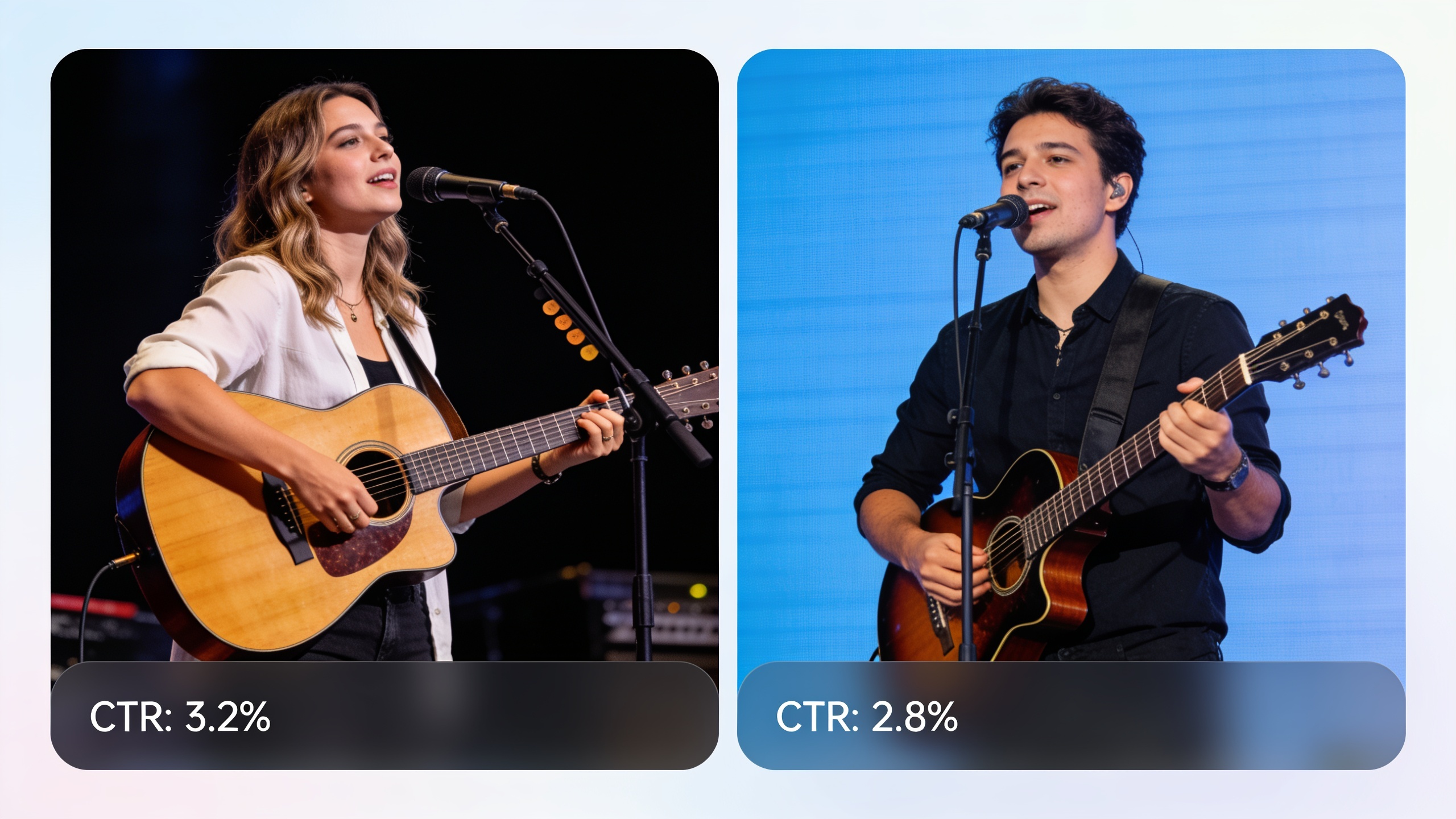
Use short, controlled A/B tests: keep the visual identical and swap only the audio hook. Measure CTR, watch‑through, and sound‑on completion rates. Templates include "two‑hook test", "vocal vs instrumental", and "tempo test".
Example templates you can copy:
- Two‑hook test: same video; audio A = instrumental ukulele hook, audio B = synth stab hook. Run both ads to small, comparable audiences for 24–48 hours.
- Vocal vs Instrumental: same visual; A = 8s jingle with sung syllable, B = instrumental version of the same hook.
- Tempo test: A = 100 BPM, B = 130 BPM; check engagement and perceived speed.
Measuring tips:
- Track sound‑on completion and immediate click or convert events.
- Keep tests short and run multiple batches to account for day‑part effects.
- Record winners as new prompt templates to reproduce consistent sonic identity.
If you need more visual assets to test with, generate brand imagery with GoCrazyAI’s AI Image Generator: AI Image Generator. For pricing concerns or credits used in batch generation, review GoCrazyAI Pricing: Pricing.
Frequently Asked Questions
Can I use AI‑generated jingles in paid ads and monetized videos?
Often yes, if the AI platform grants commercial‑use or royalty‑free rights for generated tracks. Always check the vendor’s license language and keep proof of the license when publishing for clients or monetized channels.
Will AI‑generated music trigger Content ID on TikTok or YouTube?
It can, though tools that claim original, commercial rights usually reduce risk. Because Content ID systems match audio fingerprints, run a private test upload or consult the generator’s Content ID guidance before public release.
How long should a jingle be for Reels or TikTok?
For hooks, 6–15 seconds is typical. Shorter hooks loop better and are easier for viewers to remember; longer 12–15s clips work well when paired with a short montage or ad.
What prompts produce consistent mood and tempo?
Use a structured prompt: outcome + instruments + character + technical details. Example: "6s hook, bright ukulele, handclap rhythm, catchy 3‑note motif, 120 BPM, clean mix."
Are AI jingles copyright free by default?
Not always. "AI‑generated" doesn't automatically mean free to use commercially. You must verify the platform’s license terms—some explicitly grant commercial rights, others retain restrictions.
Conclusion
Final thoughts: short, branded jingles for Reels and TikTok can be produced quickly if you pick an AI generator with clear commercial licensing, use concise prompts, and run small A/B tests. Keep license proof and embed metadata before publishing to minimize takedowns. Pop a vibe into the AI Song Generator and you'll have a track to score the cut in minutes.
Sources
- AI music for creators — Mubert Performance Ad Music Generatormubert.com ↗
- AI music generator — TinyMusic (example platform positioning)tinymusic.ai ↗
- "It is clear why creators are concerned" — MusicRadar on PRS for Music survey (musicians worried about AI music)musicradar.com ↗
- AI Slop Is Coming for Your Playlists — The Atlantic (volume of uploads / platform risk)theatlantic.com ↗
- ElevenLabs reveals AI music generator (coverage) — Tom's Guide / ElevenLabs music launch reportingtomsguide.com ↗
- SoundCustom — example creator-focused AI music platform (positioning for social & ads)soundcustom.net ↗
- AI Jingle Maker — Musicful (example step guidance and jingle use cases)musicful.ai ↗