


TikTok synthetic voice rules: What July 2026 changes mean for creators
Clear, practical guidance on TikTok's July 2026 AI-voice rules, disclosure, and a compliant workflow using GoCrazyAI AI Voices for narration, dubbing, and voice cloning.
Your TikTok videos just started getting flagged and you don't know why. TikTok updated its AI audio guidance in July 2026 and platforms are actively labeling and enforcing AI-generated voices — which matters if you use TTS, dubbing, or voice cloning for product demos, livestream shopping, or faceless channels. This article explains the exact dates and scope of TikTok's July guidance, the seller rules for TikTok Shop, and the wider European transparency context. You'll get a short compliance checklist, a hands-on workflow for preparing voice assets that meet detection and disclosure expectations, clear rules for when voice cloning is higher-risk, and a step-by-step GoCrazyAI workflow to produce compliant narration, dubbing, and custom voices. Where relevant I cite TikTok's newsroom and seller guidance, plus EU transparency guidance and industry trackers so you can see the source. Read this if you need to keep posting without surprise takedowns, or if you run TikTok Shop listings and must follow seller-facing AI VoiceOver) terms.
Quick Answer
What do TikTok’s July 2026 AI-voice rules mean for creators? They require platform labeling, provenance metadata, and seller disclosures for AI voices; TikTok explicitly updated its guidance on July 10 and seller rules around July 22. For creators, disclose when audio is synthetic or cloned, avoid impersonation without consent, and follow TikTok Shop’s processing/disclosure rules for commercial posts.
What changed in TikTok’s July 2026 guidance on AI-generated audio (concrete dates and scope)?
TikTok published a platform-wide newsroom update on July 10, 2026 explaining its labeling and provenance approach for AI-generated content, and separately updated seller-facing AI VoiceOver guidance around July 22, 2026. The July 10 newsroom note describes platform labels and C2PA-based provenance tools already in use to help people identify AI-generated content; TikTok also reported that more than 1.3 billion videos have been labeled as AI-generated, showing the scale of enforcement[1]. Around July 22, TikTok Shop clarified that sellers may use AI for translation, dubbing, and narration but must follow additional processing and disclosure obligations in seller guidance[2]. These changes mean policy now covers both organic creators and commercial sellers, and enforcement during mid–late July already produced temporary flags and account actions where TikTok’s automated systems suspected AI-like audio. The EU’s July 20 transparency guidance and the incoming AI Act (effective August 2, 2026) add regulatory pressure, particularly for creators targeting European audiences[3]. In short: July 10 and July 22, 2026 are the concrete policy milestones; scope spans labeling, provenance metadata, seller processing rules, and stronger enforcement tied to regulatory expectations.
Quick compliance checklist: when you must disclose or avoid AI voices on TikTok (shopping, ads, and organic posts)?
Yes — disclose synthetic or cloned audio in most commercial, promotional, or high-risk contexts. For organic posts, add an explicit on-screen label or mention in captions when the voice is AI-generated or cloned. For TikTok Shop and seller content, follow the seller guidance issued in late July 2026: sellers may use AI for translation, dubbing, and narration but must process and disclose the use of AI in listings and promotional clips[2]. For ads and paid promotions, declare AI-generated audio and follow any platform ad-disclosure rules; paid content is higher-scrutiny. Avoid publishing cloned voices that impersonate another real person without verifiable consent — this carries legal and platform risk and is treated as higher-risk than generic TTS per regulatory trackers[5]. If your content targets EU viewers, expect additional transparency obligations under EU guidance effective August 2, 2026[3]. Practical checklist: - Add visible on-screen text like “Synthetic voice” or “AI narration” for any AI voice use. - Put disclosure in the caption for viewers who miss the label. - Retain provenance metadata or process audio through a system that adds C2PA provenance. - Secure written consent for any voice cloning and keep evidence for audits. - Prefer neutral, non-identical TTS voices for commercial livestreams where possible.
Hands-on: Preparing voice assets that pass TikTok’s detection and disclosure expectations (recording, processing, and metadata)?
Create voice assets with traceable provenance, clear disclosure, and audio quality that doesn't trigger false-positive moderation. Start by recording clean source samples (if cloning) in a quiet room with a decent USB mic, 48 kHz sample rate, and short marker tones at start/end to help processing. For TTS or custom voices, render at 24–48 kHz with consistent normalization and avoid excessive artifacts that resemble synthetic stitching. Attach metadata: embed creation fields (author, tool, creation date) and a C2PA-compatible manifest when possible; platforms increasingly look for provenance tags rather than just visible labels[1]. When editing, preserve a copy of the raw sample and a processing log (timestamps, tool names, parameters) to provide to review teams if flagged. For captions and on-screen labels, use readable placement (lower third) and 2–3 second minimum display so viewers and automated detectors can see the disclosure. When doing language dubbing, include both language and disclosure (“AI-dubbed EN→ES”) and keep the original audio track in your upload package if TikTok requests verification. These steps reduce the chance of automated flags and give you evidence for appeals if the platform questions the origin of the voice.
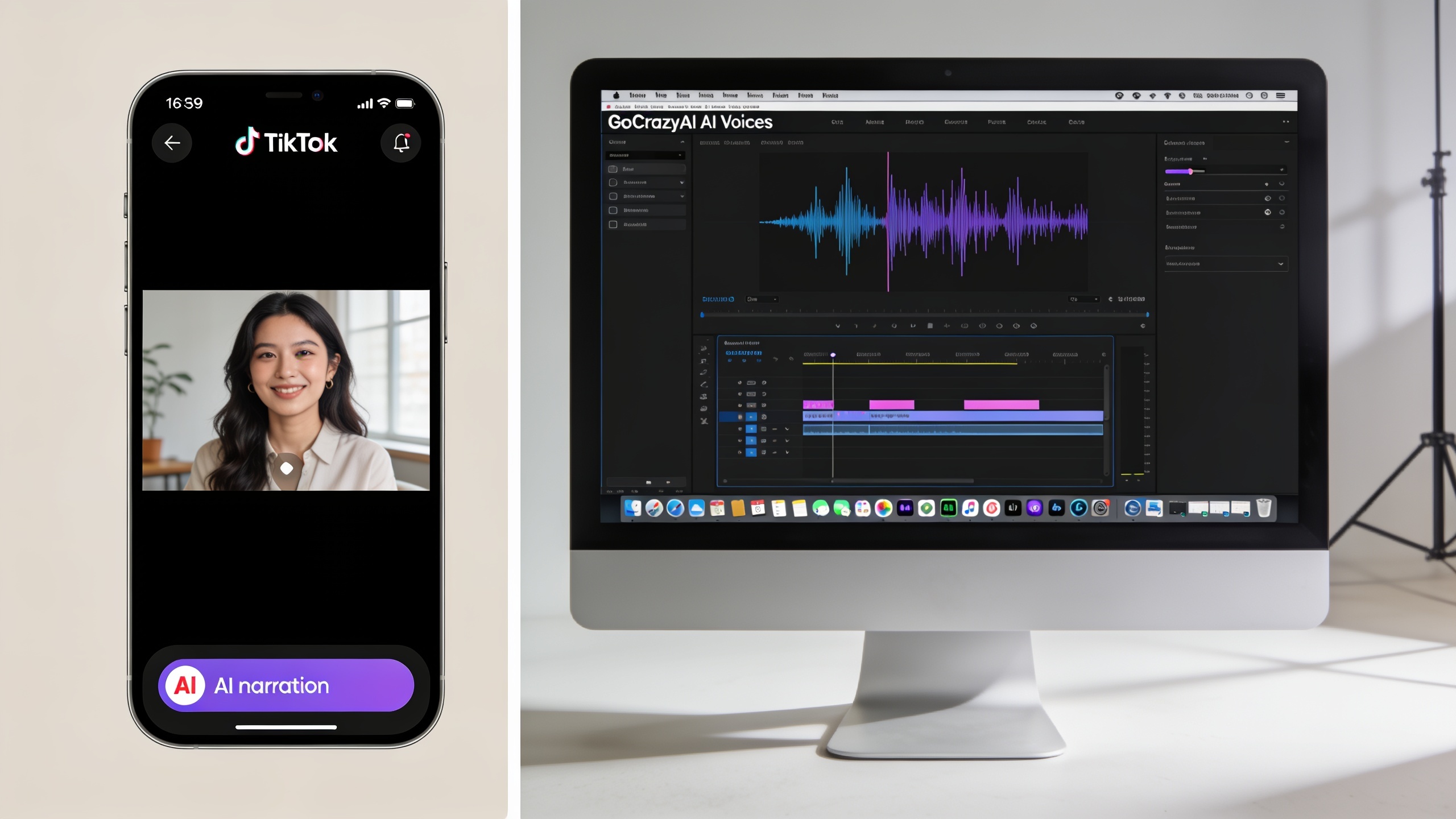
Hands-on: Using GoCrazyAI AI Voices to create compliant narration, dubbing, and character voices (step-by-step workflow)?
Yes — you can use GoCrazyAI AI Voices to produce narration, dubbing, or a cloned voice while keeping compliance controls like short required samples, export metadata, and on-export labels. Start by choosing a voice type (one of 160+ premade voices), or clone your voice from a short clean sample. Export files with clear metadata describing the generation method so you have an audit trail. Below is a practical workflow you can follow on GoCrazyAI: - Prepare a clean voice sample or script. - Use GoCrazyAI to clone or select a premade voice. - Generate narration or dubbed tracks and include a visible text overlay in your video saying "AI narration". - Export audio with attached metadata and keep the original recording. - Upload to TikTok with caption disclosure and keep consent documents for cloned voices. For sellers using TikTok Shop, ensure your listing text and video descriptions state the audio was AI-generated, per seller guidance[2]. Learn more about GoCrazyAI AI Voices and start a compliant project at GoCrazyAI AI Voices. You can also pair generated audio with GoCrazyAI’s video tools like the AI Video Generator for synchronized clips and Media Mixer for final edits[/create-ai-video] or manage credits and plans on the pricing page[/credits].

When to use voice cloning vs. custom AI voices — consent, legal risk, and platform policy decisions?
Use voice cloning only when you have explicit, recorded consent from the speaker and a clear business reason; otherwise use neutral custom AI voices. Voice cloning carries higher legal and platform risk because it can impersonate an identifiable person; regulatory trackers in July 2026 show growing rules focused on consent and impersonation that treat cloning as high-risk[5]. Custom TTS or designed character voices are typically lower risk because they do not replicate a real person’s unique vocal identity. If you must clone: (1) get signed consent that names where the voice will be used, (2) store the consent with your provenance metadata, and (3) add more explicit on-screen disclosure (e.g., “Voice cloned with consent”). For brand partnerships and livestream shopping, prefer TTS or non-identical custom voices unless the cloned voice owner is the seller or public face of the listing; sellers with AI voice use must follow TikTok Shop processing and disclosure rules[2]. When in doubt, choose a clearly synthetic voice and label it: platforms and regulators usually treat overt disclosure more leniently than hidden cloning.
Recovery & moderation: what to do if TikTok flags your voice or removes content — real creator stories and best practices?
If TikTok flags or removes content, respond quickly with documentation: provenance metadata, the original recording, and any consent forms. Community reports in mid–late July 2026 show creators receiving temporary suspensions or flags after automated detection; several creators successfully recovered accounts by supplying proof of origin and adding clearer disclosure[4]. Best practices: keep an export folder with raw recordings and generation logs for every project; when you get a notice, use TikTok’s appeal flow and attach the logs plus a short statement explaining the audio source and whether consent exists. If a seller video was removed, contact TikTok Shop support and reference the seller guidance for AI VoiceOver — sellers that can show they followed processing and disclosure steps have a stronger case[2]. Finally, update future uploads: add on-screen labels, stronger captions, and embedded metadata to prevent repeat flags. These steps usually shorten review time and reduce account impact.
Frequently Asked Questions
Do I always have to label AI voices on TikTok?
In most cases yes — labeling is required for commercial uses and recommended for organic posts. TikTok’s July 2026 guidance and seller rules make disclosure a best practice; EU guidance also raises expectations for transparency[1][3].
Can I clone my own voice and use it on TikTok Shop?
Yes, but get written consent for the use case (even if it’s your voice), keep the raw sample and processing logs, and include disclosure in the listing and video per TikTok Shop guidance[2].
What if TikTok says my voice sounds AI-generated but I recorded it live?
Collect and submit the raw recording, a device timestamp, and any processing logs during the appeal. Many creators reported successful reinstatements after providing provenance materials in mid–late July 2026[4].
Conclusion
Final thoughts: treat July 2026 as the point where TikTok and regulators moved from guidance to active enforcement. Label synthetic audio, store provenance metadata, and prefer non-identical custom voices unless you have clear consent for cloning. If you need a practical, auditable way to create narration, dubbing, or cloned voices with exportable metadata, try GoCrazyAI AI Voices for generation, cloning, and paired video tools. Learn more and start a compliant project at GoCrazyAI AI Voices.
Sources
- Helping people spot and understand AI-generated content on TikTok — TikTok Newsroom (July 10, 2026)newsroom.tiktok.com ↗
- TikTok Shop AI VoiceOver Terms and Conditions (seller support, July 2026)seller-ie.tiktok.com ↗
- AI-Generated Content Restrictions and Requirements — TikTok Shop (May/July 2026 documentation)seller-us.tiktok.com ↗
- European Commission: Guidelines on transparency obligations for AI systems (published July 20, 2026)digital-strategy.ec.europa.eu ↗
- AI voice-cloning regulation tracker (AnyVoice blog, July 2026)anyvoice.io ↗
- TikTok bans AI-generated voices in shopping livestreams — Social Media Today (coverage of seller rules, July 2026)socialmediatoday.com ↗