


Pet Lipsync AI: Turn One Photo into a Viral Pet Short (Step-by-Step)
Turn a single pet photo into a viral 20–30s lipsync or dance short using GoCrazyAI CrazyFX. Step-by-step workflows, ethical tips, and posting best practices.
One good pet photo can become multiple 20–30s vertical shorts with CrazyFX’s one-click presets—no prompt engineering required.- Viral pet shorts rely on a 0–2s hook, a trending audio choice, vertical framing, and an immediate emotional cue (cute/funny/surprising).- Image-to-lipsync pipelines combine a still-image encoder + audio-driven motion model (Wav2Lip-style) + render pass to create believable talking/dancing pets.- A single CrazyFX clip can be repurposed into 10+ assets for cross-posting if you change captions, crop, subtitles, and audio slices.- Label synthetic pet videos clearly, follow platform policies, and avoid misrepresenting owners or medical claims to reduce takedown risk.
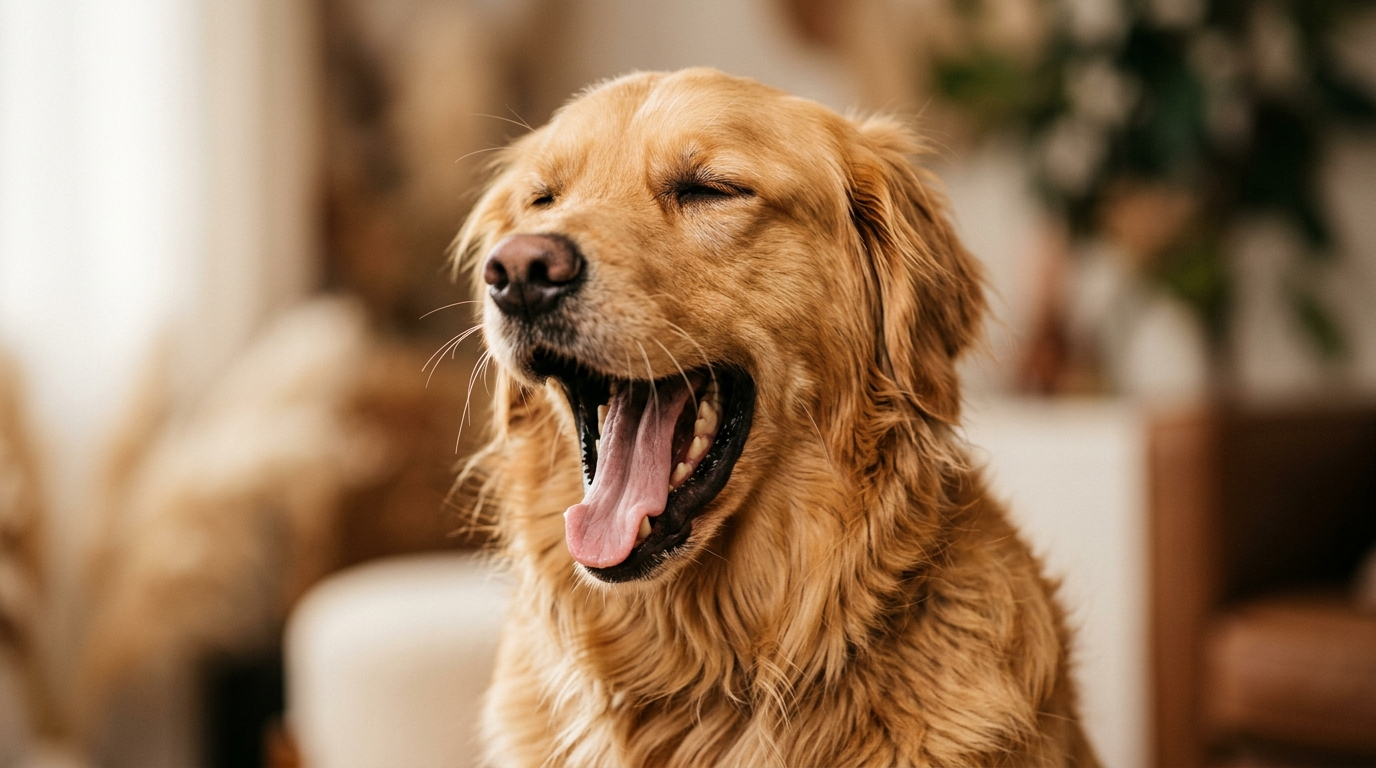
Picture this: you snap a goofy photo of your dog mid-yawn, hit one button, and 30 seconds later you have a vertical, trending-format clip of that same dog perfectly lip-syncing a catchy audio — ready to post to Reels or TikTok. That’s the exact promise of CrazyFX, GoCrazyAI’s one-click AI effects suite that turns a single still into dance, avatar, news-anchor, or pet lipsync videos in vertical format.
This guide shows creators and small pet brands how to go from a single pet photo to platform-ready viral shorts using pet lipsync AI and image→video effects. You’ll get the data-backed rules for what makes pet clips go viral, a short technical explainer of how image-to-lipsync works, two practical CrazyFX workflows (dance and lipsync), a comparison table of common approaches, and an ethics checklist to keep your content safe from takedowns.
If your goal is fast, repeatable viral-format content without learning complex editing, this article is a hands-on playbook: quick wins, one-click CrazyFX workflows, and reuse strategies to turn one pet photo into an entire content calendar.
Why pet short-form videos (and AI effects) are the highest-leverage content for creators in 2026
Short-form vertical video is the dominant channel for organic discovery and paid attention in 2024–2026. Platforms like TikTok, Instagram Reels, and YouTube Shorts prioritize 9:16 content in feeds and recommendations, which means creators who produce quick vertical clips enjoy disproportionate reach compared with long-form posts. Pet content specifically punches above its weight: posts under pet-related hashtags routinely show higher-than-average engagement and huge audience interest across platforms (see industry write-ups on why pet content dominates social media).[2]
For creators and small pet brands, the leverage comes from three practical advantages:
- Emotion-first content: Pets trigger fast, shareable emotional reactions (laugh, 'aw', surprise) which lifts completion and share rates.
- Reusable creative assets: One strong photo or short clip can be re-sculpted into multiple formats (lipsync, dance, narration) without reshoots.
- Time efficiency with AI: Tools like GoCrazyAI CrazyFX let you produce platform-ready vertical clips from a single image in seconds, freeing creators to test dozens of ideas per week.
Commercially, the pet market is also sizable: rising consumer spend on pet products and services makes pet audiences attractive to brands and sponsors — another reason creators should treat every viral pet short as both content and potential revenue opportunity.[3]
If you want output velocity, consistent format, and a direct path to platform-ready verticals, one-click AI effects for pets are the highest-leverage tactic available to creators in 2026.
What makes a pet video ‘viral’: platform signals, hooks, and audio choices (data-driven)
Viral mechanics for pet shorts are simple but strict. Platforms reward metrics that indicate strong viewer intent: high completion rate, rewatches, shares, saves, and clickthroughs to profile. Pet videos tend to perform well on these signals because they usually deliver an immediate emotional pay-off within the first two seconds.
Key practical signals and choices that lift reach:
- 0–2s hook: Start with an unexpected or emotionally immediate frame (a face, a surprising expression, an action). If viewers see something compelling in the first two seconds, completion rises.
- Runtime: 20–30s vertical clips fit algorithmic sweet spots—long enough to hit a payoff and short enough to encourage repeat views.
- Audio: Use platform-native music or trending sounds; platform weighting for in-app audio is well documented and drives discovery.[1]
- Captions and CTAs: Add readable subtitles and a simple CTA to boost saves or follows; captions are also crucial for accessibility and retention.
- Native format: Deliver 9:16 vertical files, with safe-zone framing for captions and overlays.
Case studies show creators who mixed AI effects and pet content can reach breakout virality—single AI pet reels have hit multi-million views when they combined a clear hook, an on-trend sound, and a believable animation.[4]
Put simply: the format matters as much as the idea. CrazyFX presets generate 9:16, trimmed outputs that match these platform preferences, making it straightforward to hit the mechanics platforms reward.
How AI one-click effects (photo→dance / pet lipsync) work — the tech behind believable motion and lip-sync
At a high level, modern one-click pet lipsync and dance effects follow three technical steps: a still-image encoder, an audio-driven motion/lipsync model, and a render/effects pass. This stack has become the industry standard across commercial tools and research implementations.[6]
- Still-image encoder: The model ingests the static photo and builds a latent representation that preserves identity, texture, and pose anchors. For pets, this encoder must retain fur patterns and eye geometry so motion looks on-model.
- Audio-driven motion/lipsync: A dedicated model (classically Wav2Lip and its modern derivatives) maps audio features to mouth and facial motion targets. For pets, the animation is often stylized—exaggerated mouth movements, nods, and head-bobs—to sell expression without producing uncanny artifacts.
- Render and effect pass: The final engine composites motion into a vertical frame, applies cropping, lighting adjustments, and preset motion templates (dance, news-anchor, singing). This is where one-click presets matter: each preset contains tuned timing, mouth shapes, and body-balance so you don't need manual keyframes.
The result is a believable talking or dancing pet that preserves the photo’s identity while adding lifelike motion. Standards and reviews of talking-head pipelines underline the importance of careful lip-shape generation and identity preservation to avoid obvious artifacts — a reason to prefer tuned presets over generic motion pipelines for pets.[7]
GoCrazyAI CrazyFX implements these principles as packed presets: upload one photo, pick a pet dance or lipsync preset, and CrazyFX applies the encoder + audio-driven motion + render pass to output a vertical-ready clip.
Workflow 1 — From single pet photo to 20–30s dance clip (step-by-step using GoCrazyAI CrazyFX)
Goal: Create a 20–30s vertical pet dance that fits a trending audio and has a 0–2s hook.
Quick walkthrough (worked example):
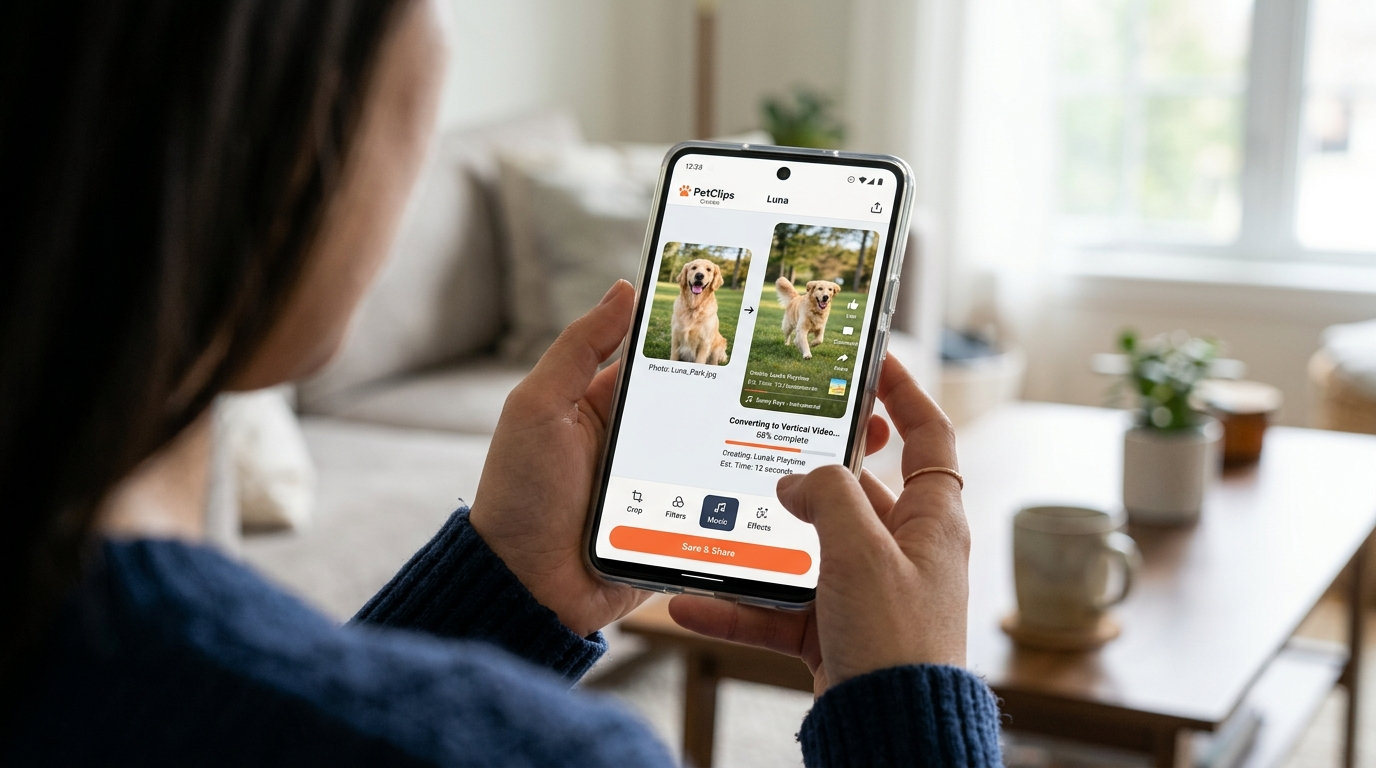
1) Choose the photo: pick a clear, high-contrast headshot or mid-body shot of the pet, with the subject centered. If the photo background is busy, use GoCrazyAI’s image tools or an external editor to tighten the crop. 2) Open CrazyFX and pick the “Pet Dance” preset: CrazyFX’s pet dance preset is designed to map a single image to lively, rhythmic motion and renders vertical output ready for Reels/TikTok. 3) Select the audio: pick a trending short audio clip (10–25s) and upload it into the CrazyFX audio slot. If you need original music, generate a custom backing from GoCrazyAI’s AI Music Generator and import it. 4) Adjust timing & hook: set the first 2 seconds to a strong frame (a close-up or surprised expression) and trim the audio so the clip’s payoff aligns at 12–18s. 5) Render and export: queue the effect — CrazyFX turns your single photo into a 9:16 clip. Review the output, add subtitles or overlays in GoCrazyAI Media Mixer if needed, and export for upload.
Why this works: CrazyFX applies tuned motion presets so you don't handcraft keyframes. The playback-ready vertical file and timed audio pairing match platform preferences for 20–30s clips. If the original photo is low-res, run it through GoCrazyAI Image Upscaler or quick relighting before using CrazyFX to ensure cleaner renders.
Steps:
- Upload your pet photo
- Pick the Pet Dance preset in CrazyFX
- Add or generate trending audio via AI music tools
- Tweak the first 2 seconds for a strong hook
- Render vertical output and polish in Media Mixer
This workflow is intentionally fast: one photo in, finished vertical clip out — exactly the CrazyFX promise.
Workflow 2 — Create a pet lipsync short from a selfie + song (script, timing, export for Reels/TikTok)
Goal: Make a convincing pet lipsync to a song or spoken line with clear pacing for Reels/TikTok.
Script and timing tips:
- Choose a short, distinctive audio slice: 8–18s is ideal. For music, pick a chorus or a catchy vocal phrase. For comedic lip-syncs, use a 6–12s spoken line with a punchline.
- Map beats to movement: align eye blinks, head nods, or paw gestures to musical downbeats for more believable motion.
- Keep the narrative simple: setup (0–2s), buildup (3–10s), payoff (final 1–3s). The payoff should be a visual gag or a strong expression.
CrazyFX step-by-step:
1) Upload your pet photo and choose the Lipsync preset in CrazyFX. The preset includes tuned mouth-shape morphs and timing so the pet’s mouth matches input audio. 2) Upload the trimmed audio clip or paste a TikTok sound link (if supported). If you need a custom vocal, use GoCrazyAI AI Voices to synthesize a line in a chosen voice, then import it. 3) Preview and nudge timing: CrazyFX shows a quick preview so you can nudge phoneme alignment if the phrasing looks off. 4) Add subtitles and a CTA in the Media Mixer to increase saves and shares — captions also help performance when audio is muted. 5) Export as 9:16 with platform metadata: filename, vertical safe zones, and hashtags in your caption draft.
Export checklist: 9:16 orientation, 20–30s length (or trimmed to the audio slice), legible subtitles, and at least one CTA (follow/save/share). Use the Media Mixer (/ai-video-edit) to add finishing touches before posting.
Worked example: A 12s clip of a cat 'singing' a two-line chorus. Upload the photo to CrazyFX Lipsync preset, upload the 12s chorus, nudge lip timing + add subtitles in Media Mixer, then export a vertical MP4 named "cat-chorus-reel.mp4" and upload to Reels with hashtags and a one-line CTA.
Creative formats that convert: reuse, cross-posting, and turning one CrazyFX clip into 10 posts
One CrazyFX render is a content engine. With small edits, you can create multiple posts for different platforms and audiences:
- Native vertical post: the original 9:16 CrazyFX output for TikTok/Reels.
- Short teaser (3–6s): crop to the strongest frame for TikTok ad previews or Instagram Stories.
- Still + caption carousel: export a clean frame from the clip and pair it with a making-of caption for carousels.
- Subtitled long version: add extended captions and behind-the-scenes text for Facebook or YouTube Shorts.
- Duet/stitch assets: separate audio stems so other creators can duet your original pet lipsync.
Practical repackaging checklist:
- Create 3 crops: 9:16 (original), 4:5 (Instagram feed), and 1:1 (thumbnail for cross-posting).
- Swap audio slices: test at least two trending sounds against your original—small audio changes can yield big reach differences.
- Localize captions: use GoCrazyAI Dubbing or Voices to create region-specific audio/caption variants if you target international audiences.
Comparison table: quick comparison of options for turning a photo into motion
| Feature | One-click presets (CrazyFX) | Manual animation + editor | Full reshoot/video shoot |
|---|---|---|---|
| Speed | Seconds to minutes | Hours to days | Hours to days + logistics |
| Requires skill | None | Moderate (animation/editing) | Filming skill + setup |
| Consistency | High (preset-driven) | Variable | Variable |
| Output quality | Platform-ready vertical | High if skillful | Highest natural realism |
| Best use case | Rapid testing, trend-chasing | Custom brand pieces | Campaigns, product demos |
Using this system, creators can convert one CrazyFX pet dance into an entire week's worth of posts by changing crops, audio, captions, and overlays. That efficiency is why marketers use CrazyFX to produce stacks of short ads from a single photo.
Ethics, safety, and platform rules: how to keep AI pet videos transparent and avoid content takedowns
AI lipsync and talking-head tech raise legitimate policy and safety questions. For pets there are fewer identity/fraud risks than with human deepfakes, but platforms still enforce rules around synthetic media, impersonation, and deceptive practices. Standards and technical guidance (ETSI and academic work) highlight disclosure, provenance, and careful use as core mitigations.[7]
Practical rules to follow:
- Disclose synthetic content: add a short caption like “AI-enhanced clip made with CrazyFX” so viewers and platforms know the video is synthetic.
- Don’t claim statements as real: avoid using a pet lipsync to attribute real-world claims (medical, legal, or endorsements) to an animal.
- Respect copyrights: use platform-licensed sounds or audio you have rights to; use GoCrazyAI’s AI music generator if you need copyright-safe backing tracks.
- Avoid misuse of real persons: if a pet is shown with a person’s face in the same video, get consent before applying transformative AI effects.
Following clear disclosure and platform rules reduces takedown risk and preserves audience trust. When in doubt, add an on-screen badge and a line in the caption noting the clip was created with AI (for example “Made with GoCrazyAI CrazyFX”).
Frequently Asked Questions
Can CrazyFX turn any pet photo into a realistic lipsync?
CrazyFX can animate most clear pet photos into convincing lipsyncs using tuned presets, but higher-resolution images and frontal expressions produce the best results.
Do I need music licensing to post CrazyFX clips on TikTok or Instagram?
Use platform-native/trending sounds or generate copyright-safe music with GoCrazyAI’s AI Music Generator; avoid unlicensed commercial tracks to reduce copyright risk.
Will platforms penalize synthetic pet videos?
Platforms focus on misleading or harmful synthetic media. Transparent disclosure and avoiding deceptive claims greatly reduce the chance of penalties.
Conclusion
One photo can be the seed for a viral-format pet short if you follow platform rules for hooks, audio, vertical framing, and transparent disclosure. For creators and pet brands focused on speed and scale, GoCrazyAI CrazyFX is the fastest path from selfie to a platform-ready pet lipsync or dance clip — one photo in, finished vertical clip out. Open the CrazyFX page and ship your first viral-format clip during your next content sprint.
Sources
- TikTok for Pet Businesses: How to Grow Your Brand with Short-Form Video (Conbersa)conbersa.ai ↗
- Why Pet Content Dominates Social Media (WigglePet)wigglepet.app ↗
- Case Study: The AI Pet Reel That Exploded to 28M Views on TikTok (vvideo.co)vvideo.co ↗
- AI Pet Reel Case Study (alternate/related) — AI Pet Reel That Exploded to 18M Views (vvideo.co)vvideo.co ↗
- Social media short-form engagement metrics and trends (SocialInsider / industry analytics)socialinsider.io ↗
- Image-to-video / lipsync model & industry tooling overview (JAI Portal / tool directories mentioning D-ID, Synthesia, Wav2Lip)jaiportal.com ↗
- Academic & standards context for talking-head and lipsync tech (ETSI TR 104 062 and related papers)etsi.org ↗
- Modern talking-head / image-to-video research (EditYourself / GitHub topics and recent papers)edit-yourself.github.io ↗