


AI dancing: Turn a Product Photo into Viral Short-Form Dance Videos
Learn step-by-step how to create trend-ready AI dancing videos from one photo or a text prompt and ship hooks fast with GoCrazyAI.
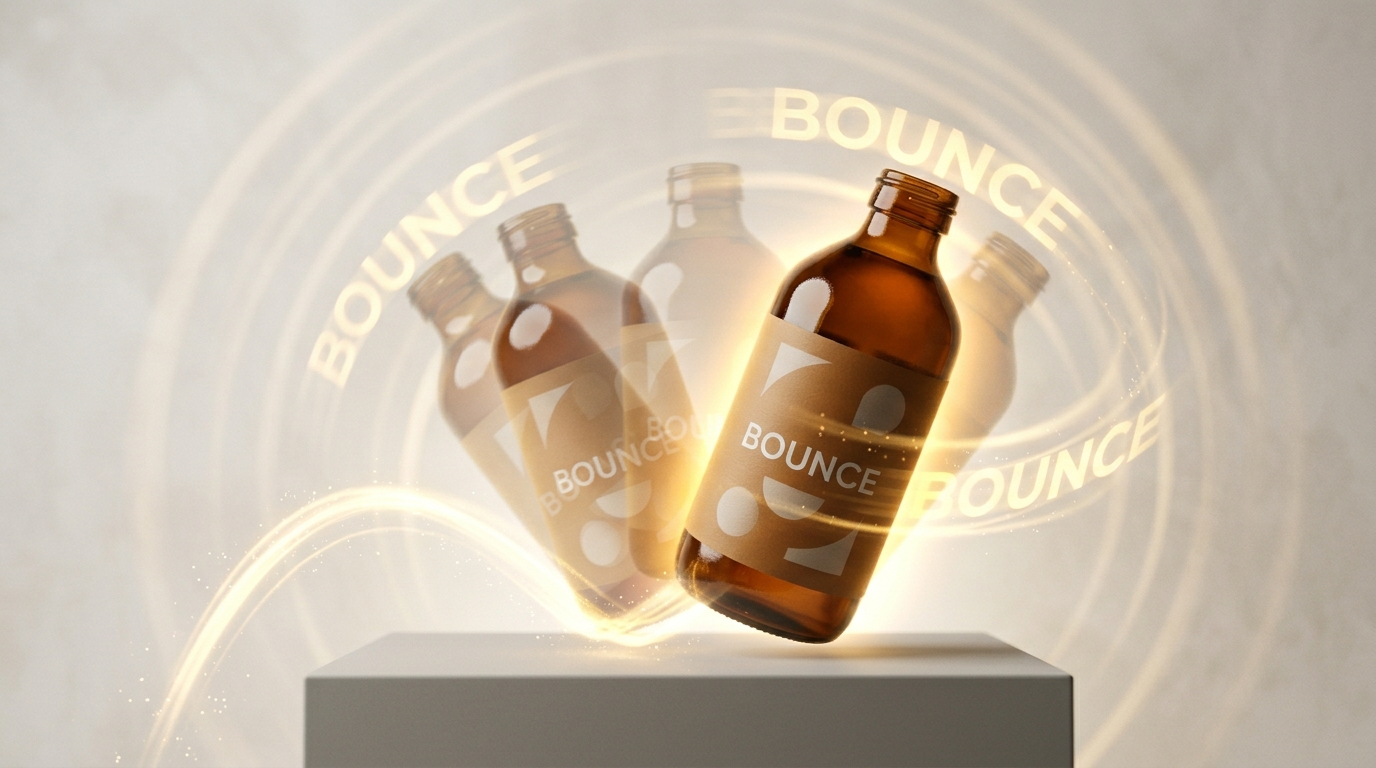
AI dancing is the fastest way to turn static product shots into scroll-stopping hooks. In this guide I’ll show practical workflows for creators and marketers who want to transform a single product photo or a text prompt into short-form dance clips optimized for TikTok and Reels. I’ll also show why the GoCrazyAI AI Video Generator is the most time-efficient path — it animates stills, accepts text prompts, and outputs ready-to-publish 9:16 videos.
If you want to jump in while reading, open the AI video generator and try animating a product photo as you follow the workflows below. This article covers motion-transfer vs pose-conditioned generation, two hands-on recipes (image-to-dance and prompt+music), legal guardrails, and metrics that tell you whether a hook will perform.
Why AI dancing videos are a must for short-form platforms (engagement, completion, and trend mechanics)
Short-form algorithms reward motion and novelty: feeds prioritize clips that keep viewers watching, and motion-rich hooks increase the chance of swipe-stops and full plays. Creators using AI-enhanced tools report materially higher completion and engagement—AI-enhanced short-form content can show around 2.3x higher completion rates versus raw single-take uploads—making dancing formats especially powerful for product discoverability.
Dance content translates emotionally and visually in the first 1–2 seconds. For product marketers a single, well-timed dancing loop (a product “doing” a move or a character performing a micro-choreography with the product) acts like a thumbnail-plus-hook: it signals kinetic energy and narrative promise at a glance. That’s why you see brands using short loops, animated B-roll, and choreographed reveal moves across TikTok and Reels.
Speed and iteration matter more than perfection. Trends evolve hourly; the tools that let you make a usable clip in under two minutes win. GoCrazyAI AI Video Generator is built for that workflow: it animates a still image into motion, accepts text prompts, and exports 9:16 hooks that fit platform format requirements, so you can stay trend-reactive without complex pipelines.
How AI creates dance motion: motion transfer, pose-based generation, and text-to-motion models (what each method gets you)
There are three practical families of models creators use to make AI dancing videos, and each has different strengths.
- Motion transfer (what it is): Motion-transfer methods take a source motion (a video or mocap sequence) and retarget that motion onto a target subject or character. This produces natural, human-like movement because the motion itself comes from a real performance. Motion-transfer pipelines are the go-to when you want realistic body mechanics and low uncanny valley risk. DeepMotion’s Animate 3D is an example of a product pipeline that converts 2D video into retargetable 3D motion for custom rigs and avatars (useful when you want pixel-accurate control)[https://www.deepmotion.com/animate-3d].
- Pose-conditioned / pose-based generation: These models are guided by pose sequences (skeleton keyframes) rather than full raw motion. By conditioning on pose trajectories you can create choreography that precisely matches timing or camera framing. Recent literature shows that conditioning text-to-video models on pose sequences or curated motions produces more coherent dance motion than unconstrained generative video models (see ACCV 2024 NewMove research for customization on novel motions)[https://openaccess.thecvf.com/content/ACCV2024/papers/Materzynska_NewMove_Customizing_text-to-video_models_with_novel_motions_ACCV_2024_paper.pdf].
- Text-to-motion / text-to-video models: These generate motion from a prompt and optionally from an audio beat. They’re fast for experimentation and excel at stylized or fantastical movement that wouldn’t exist in captured footage, but they can produce less physically-plausible limbs or timing unless constrained by pose conditioning.
Comparison at a glance:
| Method | Naturalness | Control | Speed | Best for |
|---|---|---|---|---|
| Motion transfer | Very high | Medium (depends on source) | Medium | Realistic retargets, product-on-model scenes |
| Pose-conditioned | High | High | Fast | Beat-sync, repeatable choreography |
| Text-to-motion | Variable | Low–Medium | Very fast | Stylized, novel moves, trend experiments |
Choosing the right method comes down to the tradeoff between realism and iteration speed. For most creators making platform hooks, a hybrid approach—pose-conditioned prompts or motion-transfer where available—gives the best balance.
Creative use cases that convert: product demo loops, TikTok/Reels hooks, and story openers — examples that scale
AI dancing isn’t just for entertainment; it’s a conversion-minded format. Here are high-ROI creative patterns that scale across categories:
- Product demo loops for landing pages: Animate a product to ‘dance’ while rotating or popping into frame. A 6–10 second looping clip derived from one hero photo can increase time-on-page and reduce bounce on product landing pages.
- TikTok/Reels hooks (3–15s): Start with a sudden motion shift—product does a flip, label dances into place, or a character points at a CTA. The first 1–2 seconds should contain a visual surprise. Use pose-conditioned choreography to match beat drops and increase completion.
- Story openers for longer short-form (15–60s): Open with a 3–5 second animated dance that transitions into product explanation or narrative. The dancing element serves as an attention anchor that lifts overall retention.
Examples that scale: 1) A shoe brand animates a single product image to perform a quick heel-tap synchronized to a beat; the clip loops as both hook and background for text overlay. 2) A skincare marketer turns a bottle label into a character that performs a tiny ‘reveal’ choreography to reveal benefits via captions. 3) A SaaS landing hero: a product screenshot ‘dances’ into different features, acting as kinetic B-roll during a short explainer.
All of these are achievable without mocap hardware: use motion transfer for realism or text-to-motion for stylized specials. When you need on-brand visuals, start assets in the GoCrazyAI AI Image Generator and then animate them with the GoCrazyAI AI Video Generator for a smooth, single-platform workflow (/ai-image-generator).
Hands-on workflow A — From a single product photo to a 15s AI dancing hook (step-by-step with GoCrazyAI AI Video Generator)
This workflow turns one hero photo into a 12–15 second vertical dance clip suitable for TikTok or Reels using the GoCrazyAI AI Video Generator.
Why this works: image-to-video keeps your product on-model and gives you instant 9:16 exports without rebuilding assets.
Step-by-step walkthrough (worked example):
1) Prepare your still: start with a high-quality product photo shot against a neutral background. If you need color or lighting tweaks, use the AI Image Generator to relight or touch up (/ai-image-generator).
2) Open the GoCrazyAI AI Video Generator (/create-ai-video). Choose the image-to-video option and upload the product photo. Select the Kling 2.5 Turbo Pro preset if you want the fastest, highest-fidelity motion; pick Veo 3.1 or Sora 2 if you prefer stylistic variants.
3) Set your framing to 9:16 and choose a duration of 12–15 seconds. In the prompt field, give a concise choreography instruction: e.g., “product bottle performs playful side-to-side bounce with quick label flip on the beat, friendly lighting, close-up, smooth camera push.” Add mood and style words (cinematic, high-contrast rim light) to control final look.
4) Add a motion reference or choose motion-transfer: if you have a short dance clip, upload it as the motion source to retarget realistic movement. Otherwise, use the built-in pose-conditioned option and specify “beat-synced” with a tempo.
5) Preview and iterate: generate a draft (most scenes render in under two minutes on Kling presets). Tweak the prompt for timing or reduce arm or label motion if it looks unnatural. Export 9:16 for TikTok.
Tips: keep hands-off complex limb movements for small product rigs—micro-steps and rotations read cleaner. Use the GoCrazyAI AI Song Generator (/ai-music) or a licensed short loop for the beat if you need a legal, copyright-free soundtrack to pair with the dance.
Hands-on workflow B — Turn a text prompt + music beat into a stylized dance sequence (prompt recipes, pacing, and iteration using Sora 2 / Veo 3.1)
When you want stylized choreography driven by audio, start with a short musical loop and a clear prompt recipe. Sora 2 and Veo 3.1 on GoCrazyAI excel at prompt-driven motion and stylized outputs.
Prompt recipe (example):
- Start line: subject type and style: “stylized character made from product silhouette, glossy plastic finish.”
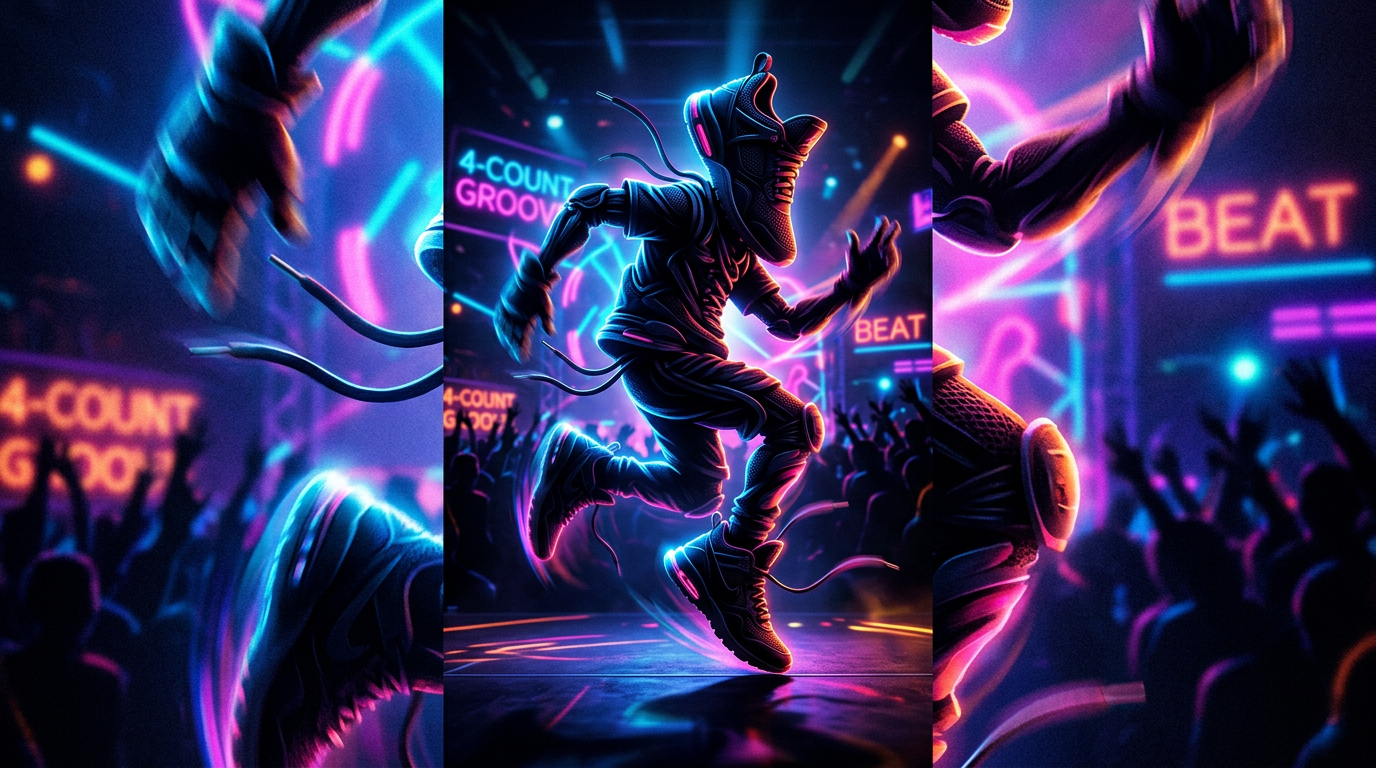
- Motion descriptor: “performs energetic 4-count groove, emphasis on beats 2 and 4, quick head nods and a jump on bar 4.”
- Camera + lighting: “80mm close framing, soft rim light, shallow depth of field.”
- Final polish: “loopable, tight cropping for 9:16, subtle motion blur.”
Workflow: 1) Choose your track: generate a 8–16 second beat using the GoCrazyAI AI Song Generator (/ai-music) or upload a licensed loop. 2) In the AI Video Generator, pick Sora 2 or Veo 3.1 and set "audio-aligned" motion. Paste the prompt recipe and upload the audio loop. 3) Render a short draft. If joints look off or timing lags, tighten prompts with explicit beat cues (“jump on beat 4, hold frames 5–8”). 4) Iterate with 3–5 fast drafts—change only one variable per pass (tempo, camera distance, or limb amplitude) to understand effects.
Why Sora 2 / Veo 3.1: these models can synthesize expressive, stylized movement that reads well at small screen sizes. For trend experiments you’ll often prioritize personality and cadence over photorealism, which is where text-to-motion excels.
Quality factors that make AI dancing feel real: timing, body topology, camera framing, and mixing generated B-roll with real footage
A believable AI dance balances physics cues and editing craft. Four reliability levers matter:
- Timing and beat alignment: Human motion locks to audio micro-timing; small offsets break the illusion. Always test clips on the target track and nudge motion frames to match beat onsets.
- Body topology and limb behavior: Watch for foot sliding, intersecting limbs, or stiff joints. Motion-transfer and pose-conditioned outputs reduce these artifacts; if you see problems, constrain arm range in the prompt or use a retargeted mocap reference.
- Camera framing and parallax: Fix a consistent camera viewpoint or add a subtle push-in to sell depth. Small parallax or rotation shifts make the product feel anchored rather than pasted into motion.
- Mixing generated B-roll with real footage: Composite 2–3 second AI dance loops with real cutaways. For example, open with a 3s AI dance hook, cut to a 6s real demo, return to a 2s dancing loop for a satisfying looped experience. Use GoCrazyAI Media Mixer (/ai-video-edit) to add voiceovers, captions, and overlays for a single-export workflow.
Polish checklist: ensure shadowing matches lighting, keep motion amplitude moderate for product objects, and use motion blur to mask small artifacts.
Ethics, copyright and platform safety: model consent, copyrighted choreography, music licensing, and best practices
AI dancing introduces legal and ethical considerations you must respect.
- Consent and likeness: Don’t generate realistic replicas of identifiable performers without documented permission. When using real dancer reference footage for motion transfer, secure written consent or use public-domain sources.
- Copyrighted choreography: Choreography can be copyrighted; avoid directly copying a recognized dance routine. If you’re inspired by a move, transform it significantly or use generic dance patterns.
- Music licensing: Use properly licensed tracks or copyright-free music. GoCrazyAI’s AI Song Generator can produce copyright-free instrumentals you can safely include in short-form clips (/ai-music). If using commercial music, clear synchronization and master rights according to platform rules.
- Platform policy compliance: Read platform community standards for synthetic media and disclosures. Some platforms require disclosures when synthetic likenesses are used or when manipulated media could mislead viewers.
Best practices summary: get consent for recognizable people; prefer original or licensed audio; avoid recreating signature choreography; include clear labeling if a clip uses synthetic likenesses or voices.
Measurement and optimization: A/B tests, completion-rate metrics, and how to iterate creative fast using GoCrazyAI
When your goal is growth, measure what matters and iterate quickly.
Key metrics to track:
- Completion rate: percent of viewers who watch the clip to the end; dancing hooks are designed to lift this metric. Use completion rate as your primary signal for short-form success.
- Click-through / swipe-up: for paid placements or product landing pages, track CTA interactions tied to clips.
- Engagement signals: saves, shares, and comments—the presence of a catchy dance usually increases these.
A/B testing strategies:
- Test two opening motions (e.g., 0.5s pop vs 1s push-in) to find the highest completion variant.
- Swap music loops while keeping visuals constant to measure the audio’s impact.
- Compare motion-transfer realism vs stylized prompt-driven versions for the same product to see which drives better retention.
Iterate fast using GoCrazyAI: generate multiple variants in minutes by switching model presets (Kling 2.5 Turbo Pro for speed, Veo 3.1 or Sora 2 for style). The platform’s credit pool and model routing let you run multi-model experiments without juggling subscriptions, and quick 9:16 exports remove friction between generation and publish. If you need last-mile polish—subtitles, voiceover, or a final mix—use the GoCrazyAI Media Mixer (/ai-video-edit) for one-click exports.
Measure over 24–72 hour windows and double down on the variant that maximizes completion and shares; then replicate the winning motion across other SKUs or landing pages.
Frequently Asked Questions
Can I use copyrighted songs with AI dancing videos?
Not without the appropriate sync and master licenses; instead use licensed tracks, platform-provided sounds, or generate copyright-free instrumentals via the GoCrazyAI AI Song Generator (/ai-music).
Will the AI preserve my product’s details when animating a photo?
Yes—image-to-video pipelines on GoCrazyAI prioritize photorealism and on-model preservation, but minor retouches with the AI Image Generator may be needed for perfect results (/ai-image-generator).
How fast can I iterate on dance variants?
With the GoCrazyAI AI Video Generator you can produce draft 9:16 clips in under two minutes on faster presets like Kling 2.5 Turbo Pro, enabling rapid A/B testing.
Conclusion
AI dancing turns static assets into platform-ready hooks when you prioritize motion clarity, legal safety, and speed. For creators and marketers who need repeatable short-form results, the GoCrazyAI AI Video Generator offers a single place to animate stills, run prompt-driven choreography on Sora 2 or Veo 3.1, and export vertical, loopable clips rapidly. Open the AI Video Generator, drop in your product photo or prompt, and ship a clip in your next break.
Sources
- DeepMotion Animate 3D — AI motion capture product pagedeepmotion.com ↗
- Let’s all dance: Enhancing amateur dance motions — Computational Visual Media (Springer)link.springer.com ↗
- Exploring the impact of machine learning on dance performance: a systematic review — Taylor & Francis (2024)tandfonline.com ↗
- ACCV 2024 paper: NewMove — Customizing text-to-video models with novel motions (author PDF on CVF / ACCV)openaccess.thecvf.com ↗
- How AI Dance Generators Are Taking Over Social Media in 2026 — Nerdbot (May 7, 2026)nerdbot.com ↗
- Animate 3D by DeepMotion — product launch coverage (CG Channel)cgchannel.com ↗
- Video2MR: Generating Mixed Reality 3D Instructions by Augmenting Extracted Motion from 2D Videos (arXiv, 2024)arxiv.org ↗
- Dance Dance Generation: Motion Transfer for Internet Videos (arXiv / 2019)arxiv.org ↗