


Your Ultimate Guide to Creating Viral AI Anime Content
Discover how to create stunning AI anime art, avatars, and videos that go viral. Learn the secrets to prompt craft and uncensored creation on GoCrazyAI.
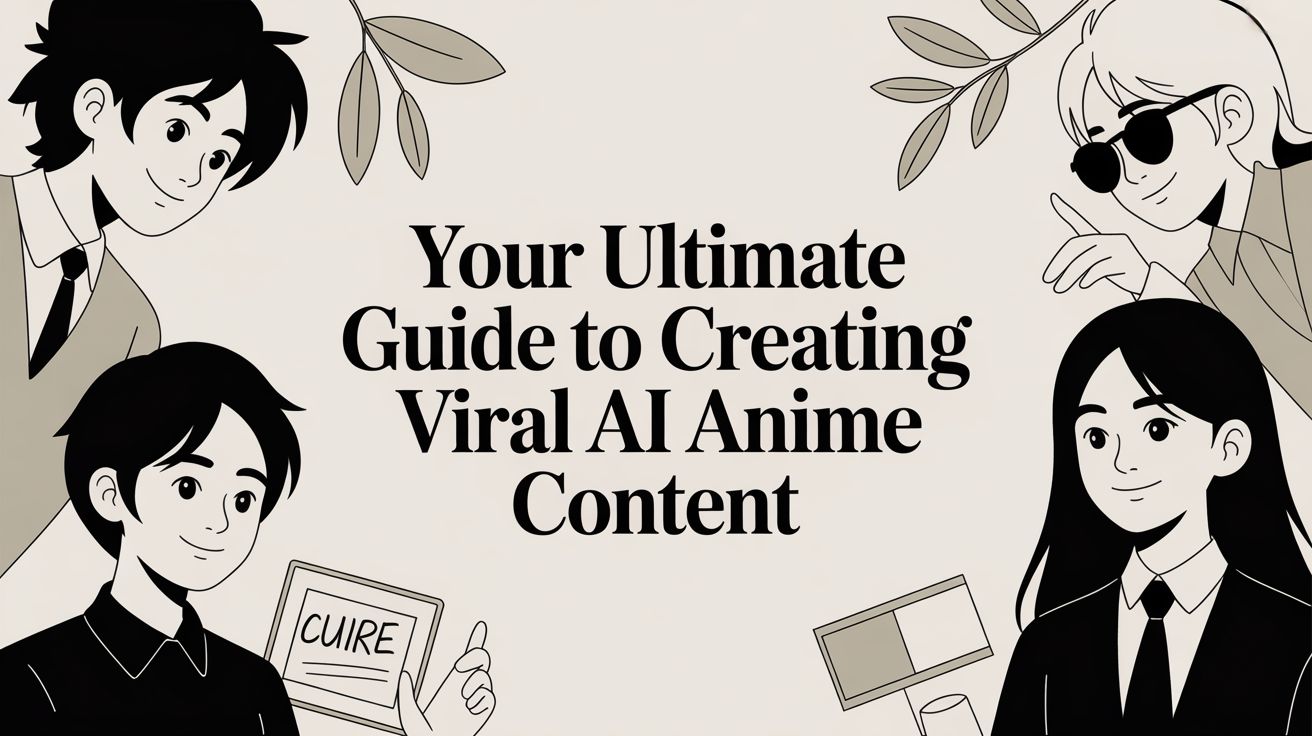
Tired of spending endless hours with a digital drawing tablet, trying to nail that perfect anime character? The good news is, you can put the stylus down. AI anime has completely changed the game, letting you spin your creative ideas into gorgeous images and short videos in just a few minutes. All you need are a few words and a bit of imagination. For creators seeking a platform that offers true artistic freedom with uncensored AI image generation and video tools, the creative suite at GoCrazyAI provides a powerful starting point. This is your roadmap from "what if?" to "wow!" As you dive in, it helps to understand the bigger picture of creating videos with AI from start to finish. It’ll really open your eyes to what’s possible.
This guide is your new best friend for navigating the world of creative AI tools. We're going to walk through a real-world workflow, taking you from a spark of an idea all the way to a finished piece of content that's ready to go viral. We'll focus on how to leverage the uncensored AI image editing capabilities of a premium platform like the GoCrazyAI image generator to produce pro-level anime, whether you're a TikTok creator or an indie filmmaker.
Welcome to the New Age of Anime Creation
The massive wall that once stood between your ideas and creating stunning anime has come tumbling down. We've entered a new era where your creativity is what matters most, not how well you can handle complex software. Think of this guide as your all-access pass to the world of AI art. I’ll show you how to turn simple concepts into eye-catching images and animations using powerful and privacy-focused tools. This is the future of digital art, where your vision can be realized without compromise.
How to Turn Your Idea into Anime Instantly
The entire process boils down to a few key stages. You start with that flicker of an idea, feed it to a sophisticated AI, and watch it generate a polished piece of art. It’s an almost magical experience that streamlines the creative workflow. This new technology removes the traditional bottlenecks that used to slow down production.
This chart gives you a bird's-eye view of the journey:
!A diagram illustrating the AI anime creation process from idea generation to anime production.
What is most revolutionary is how these new tools obliterate old-school limitations. Forget spending weeks on a single animation sequence. Now, you can prototype and produce high-quality content faster than ever before. This speed and efficiency are why so many creators are turning to platforms that offer a comprehensive suite of creative AI tools. Alright, let's get our hands dirty and start creating.
The Secret to Crafting AI Anime Prompts That Actually Work
Let's get one thing straight: the magic behind every jaw-dropping piece of AI anime isn't some hidden algorithm. It's the prompt. Learning to write a good prompt is like learning to speak the AI's language—it's the difference between getting a generic, forgettable character and creating something that stops the scroll. Platforms like GoCrazyAI excel at interpreting detailed, nuanced prompts, allowing for truly unique outcomes.
Getting good at this is a seriously valuable skill in today's digital landscape. Creators are constantly looking for eye-catching, cost-effective content for social media, and if you can deliver, you're ahead of the curve. Your creative journey kicks off with a tool that doesn't hold you back. An uncensored AI image generator is built for this, letting you craft ridiculously detailed prompts without tripping over filters that stifle your vision.
Building Your Prompts Layer by Layer
A killer prompt is built in layers, just like a digital painting. You start with a core idea and then stack details on top to bring it to life. This is how you guide the AI and tell it precisely what's in your head. Sure, a simple prompt like "cyberpunk ninja" will get you something. It'll be fine. But if you're aiming for something cinematic and truly special, you need to add context and give the AI more to work with. You're shifting from a simple description to giving full-blown scene direction.
Let's take that "cyberpunk ninja" idea and give it some power.
- Subject: Start specific. A female cyberpunk ninja with glowing neon tattoos and a high-tech katana.
- Setting: Where is she? Standing on a rain-slicked rooftop overlooking a futuristic Tokyo cityscape at night.
- Lighting: Set the mood. Cinematic lighting, dramatic shadows, reflections from neon signs on wet ground.
- Composition: Frame the shot. Low-angle shot, dynamic pose, looking down at the camera, depth of field.
See the difference? Each layer is a new instruction, leaving way less room for the AI to guess and get it wrong. This method is the key to getting consistently awesome results from any high-quality creative AI tool.
Why You Need to Use a Negative Prompt
Sometimes, telling the AI what you don't want is just as powerful as telling it what you do. This is where negative prompts come in, and they are your secret weapon for quality control. They act like a filter for your art, removing all the common AI artifacts you want to avoid. Tired of those six-fingered hands, extra limbs, or mushy, blurry backgrounds? A good negative prompt cleans all that up for you.
By adding a string like `(worst quality, low quality:1.4), ugly, deformed, distorted hands, blurry, generic background` into the negative prompt field on GoCrazyAI, you're filtering out the unwanted elements before the image even materializes. It's a small step that saves you a ton of time in uncensored AI image editing and makes your final piece look infinitely more polished.
How to Dial In Your Signature Anime Style
Let’s get one thing straight: not all AI models are created equal. Think of them less like software and more like different artists, each with a unique flair. The model you choose is the single most important decision you'll make in crafting a signature AI anime style—that instantly recognizable look that defines your work. This is where you move from making cool, one-off images to building a consistent world or brand. For example, you can go for a super specific, huggable vibe by exploring plush-style AI creations, which feels worlds apart from a classic, gritty anime look.
!Three distinct anime portraits of young men displayed on a white surface with a small plant.
Comparing the AI's Creative Engines
Jumping into a platform like GoCrazyAI gives you a whole sandbox of different models to play with. Each one is tuned for a specific artistic output, and knowing which one to grab is half the battle. A powerhouse like FLUX.2, for instance, is your go-to for that hyper-stylized, slick, and vibrant look. It's brilliant for crafting action shots or characters with big, bold personalities. But what if you want something softer? Other models are built for more photorealistic or painterly results, perfect for character portraits brimming with emotion.
The real trick is to run the same exact prompt through a few different models. You’ll be amazed at the differences. One model might generate something that looks straight out of a classic shōnen manga, while another delivers a dreamy, Studio Ghibli-inspired watercolor. Experimenting is how you stumble upon the perfect engine for your project.
Mastering Reference Images to Steer the AI
Sometimes, words just don't cut it. You have a very specific look in your head, but your prompts aren't quite getting you there. This is when you bring in the secret weapon: a reference image. This technique, often called img2img, is a total game-changer. By uploading a picture, you’re not just telling the AI what to do—you’re showing it. It’s an incredibly powerful way to guide the final output and maintain consistency.
Here’s how you can use it to elevate your art. To maintain a consistent character design, use a generated image you love as the reference for all future pictures. To nail a specific vibe, upload a screenshot from an anime you admire, and the AI will analyze the colors and mood. This is how you get next-level control and truly develop a signature style for your brand avatars or character series.
Putting Your AI Anime Characters in Motion
A stunning image is a great start, but the real magic happens when you make it move. This is the moment your AI anime creation transforms from a static portrait into a character with a personality, ready to take over social media. The jump from still image to animated clip is why the demand for uncensored AI video generation is exploding. Creators now have access to tools that can produce pro-level animations right from their desks.
!A smartphone displays an anime girl's face, beside printed storyboards and a pen on a white desk.
Thinking Like a Director for Animated Prompts
Prompting for video is a different game than prompting for a still image. You need to shift your mindset from photographer to director. Your job isn't just to describe a look, but to choreograph movement and emotion. A lazy image prompt might be "anime swordsman." A killer video prompt would be, "anime swordsman drawing his glowing katana, sparks flying, with a determined expression." That detail gives the AI a clear, actionable script to animate.
The secret is using active verbs and vivid emotional cues. Words like sprinting, giggling, and glaring give the AI a story to follow. On a platform like GoCrazyAI, you can combine these descriptive prompts with motion settings, dialing the intensity up or down as needed. You're in complete control of the final animation.
Leveraging Templates for Instant Viral Content
Let’s be real: sometimes you need to create something amazing, and you needed it yesterday. This is where pre-built templates become your secret weapon. They handle all the tricky camera moves and special effects, letting you just plug your character in for an instantly shareable, professional-looking clip. For example, an "Earth Zoom Out" template can create an epic character reveal, while a "Disintegration Effect" adds high-impact sci-fi drama. Think of these as your personal VFX team, giving you a shortcut to high-impact results and freeing you up to focus on the story.
Final Touches and Upscaling for a Professional Look
You've got a fantastic piece of AI anime staring back at you from the screen. But don’t go blasting it out to the world just yet. The last 10% of the work is what turns a cool generation into something truly jaw-dropping. It's time to add that final coat of polish. One of the quickest wins for making your AI anime look premium is upscaling. This isn't just about making the picture bigger; it's about intelligently increasing the resolution and sharpening lines. A tool like GoCrazyAI often has this built right in, and a single click can make a world of difference.
It’s basically the jump from standard-def to 4K. Your creation will feel more professional and impressive. After upscaling, you can play with subtle filters or a bit of color grading. A soft cinematic filter can add mood, while a slight saturation boost can make those anime colors leap off the screen. You're not trying to fundamentally change the image, just amplify its best qualities. The best final touches are the ones people feel, not see.
How to Optimize Your Content for Social Media
Okay, your masterpiece is looking pristine. Now, let's get it ready for its big debut. Every social platform has its own rules of engagement. You could have the most incredible animation, but if it's packaged wrong, it'll sink without a trace. Master the 9:16 vertical aspect ratio for TikTok, Reels, and Shorts. Hook viewers in the first three seconds by starting with the most action-packed or visually stunning moment. Finally, pair your visuals with trending audio to maximize discoverability. Following these simple post-production tricks ensures your AI anime is primed to find the audience it deserves.
Unlocking Creative Freedom with Uncensored AI
Let's be real: the first time you use an uncensored AI generator, it’s a rush. Suddenly, you can bring your wildest AI anime ideas to life without some invisible filter slapping your hand. It’s like the creative training wheels are off. But with that power comes a big question: how do you stay creative and push boundaries responsibly? It’s less about a new set of rules and more about being smart with your freedom.
This is where your choice of platform really matters. Tools built with privacy in mind, like GoCrazyAI, give you a solid foundation. They operate on a simple but crucial promise: your prompts, your experiments, and your final renders are yours. They aren't siphoned off to train some massive public model. This lets you experiment with bold or edgy art without that nagging feeling that someone's peering over your digital shoulder. If you want to dive deeper, it’s worth checking out how to create uncensored AI video while keeping your work completely private.
Navigating Your Artistic Responsibility
When you're the one in the driver's seat, you also have to be the one to steer. Uncensored tools open the door to mature themes and aesthetics that other platforms would block. That puts the responsibility right where it belongs: with you, the artist. It’s a balancing act, for sure. On one side, you have total artistic liberty. On the other, it’s good practice to think about the splash your work might make. A great starting point is getting familiar with general AI video moderation guidelines to make informed choices.
At the end of the day, creating ethically in an uncensored space boils down to your intent. Are you using this freedom just for shock value, or are you using it to tell a killer story and make something that is unmistakably you? When you approach it like that, you can use the full force of AI with confidence, creating from a place of integrity.
Frequently Asked Questions About AI Anime
Jumping into the world of AI anime feels a lot like picking up a new instrument. It’s a blast, but you’re going to have questions. People often ask about the legal side of things—specifically, who owns the AI characters you create. While the rules are still being written, the good news is that when you use a privacy-focused, premium platform like GoCrazyAI, your creations are yours. Your work isn't thrown into a public training pool, which gives you a clean slate to build your projects on.
Is AI Anime Creation Difficult for Beginners?
Not at all. Honestly, that's the best part. The barrier to entry has practically vanished. You don't need to have spent years in art school or wrestling with complex software to get going. The whole process boils down to a few simple things: you write a text prompt, pick a style you like, and hit "generate." Creative AI tools on platforms like GoCrazyAI make it even easier with style presets, so your main job is just coming up with cool ideas. If you can describe what’s in your head, you have everything you need.
Can I Replicate a Specific Anime Style?
Oh, absolutely. With a little experimentation, you can get uncannily close to a specific look. The secret weapon here is the img2img feature, also known as using a reference image. Just upload a screenshot from an anime style you love, and you've given the AI a powerful visual roadmap. Pair that image with descriptive text prompts that nail the vibe—think "in the style of classic 90s cel animation"—and you can guide the final output with serious precision. It's a fantastic trick for locking in a particular mood or aesthetic.
Ready to stop thinking and start making? GoCrazyAI has a full suite of uncensored, powerful tools to bring your AI anime vision to life. You can check out all the features and get started at https://www.gocrazyai.com.